
Patent Toolkit 3.0 · macOS and Windows
Streamline your patent prosecution workflow
Find the record, collect the references, generate documents from your templates, and prepare PDFs for filing—all in one desktop app. Keep working with Microsoft Word, your preferred AI tools, and the processes that fit your practice.
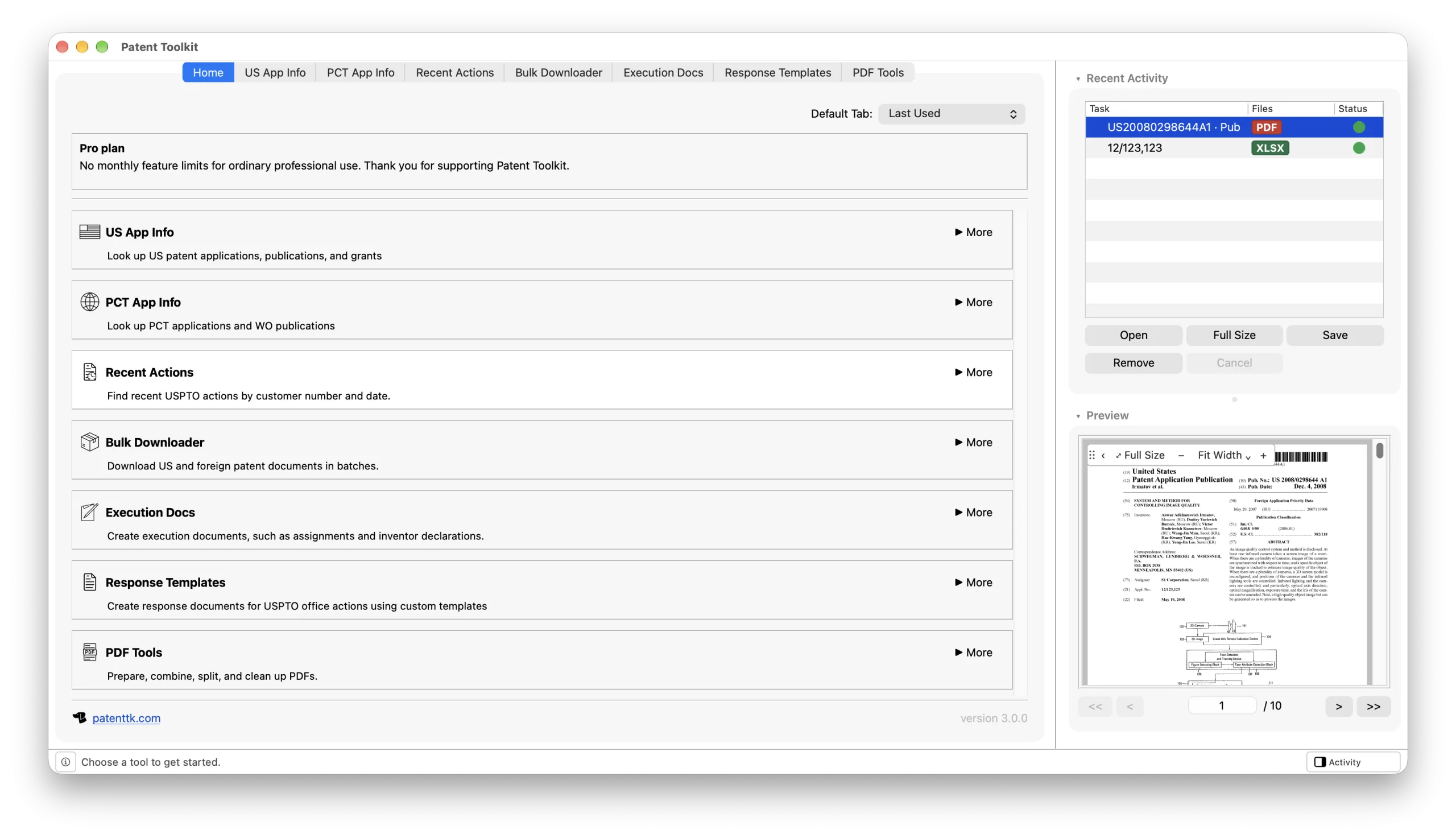
Review records in one place
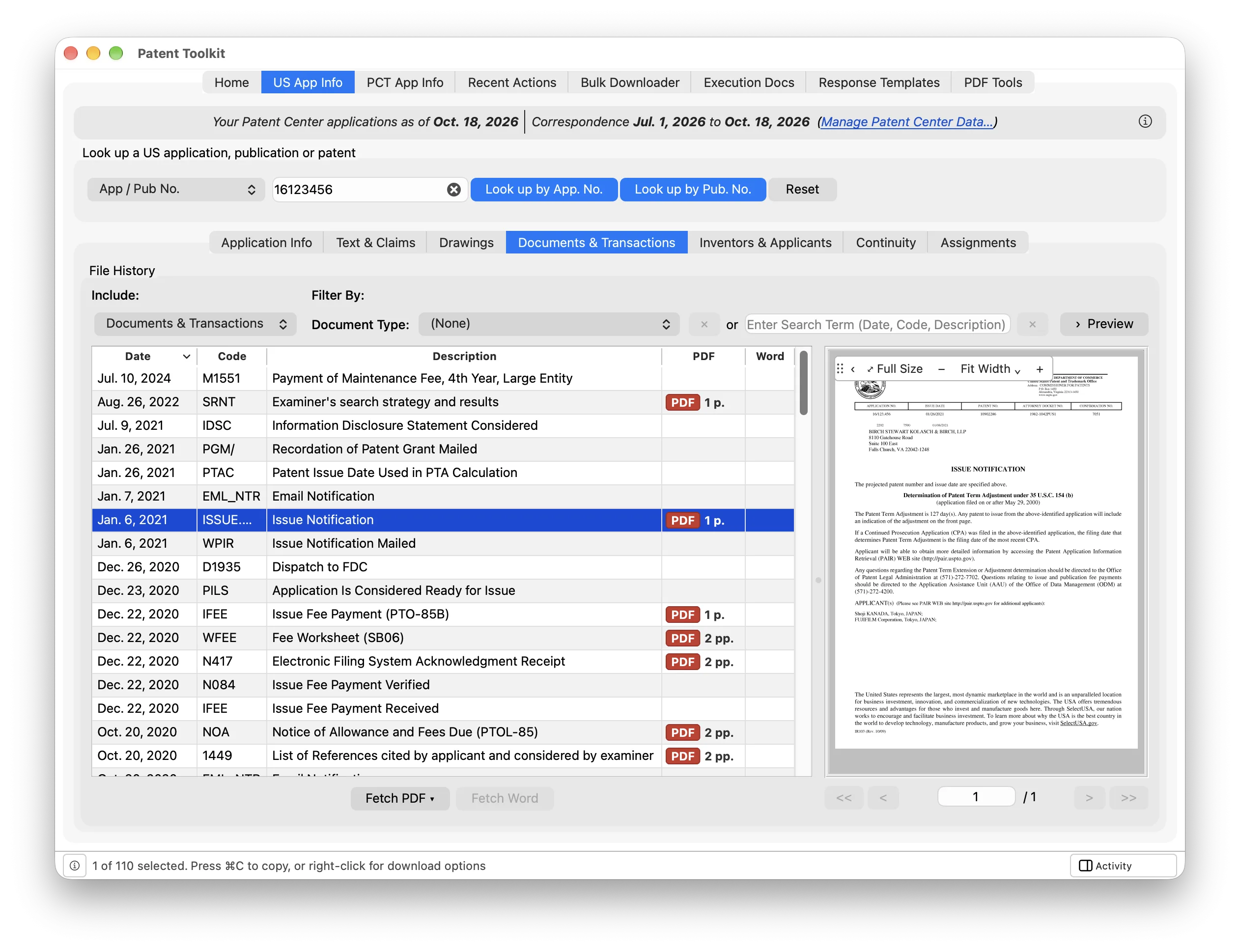
Review application details, file histories, claims, and drawings without switching between databases. Preview available documents alongside the record, then save or copy what you need for your next task.
Keep working while batches run
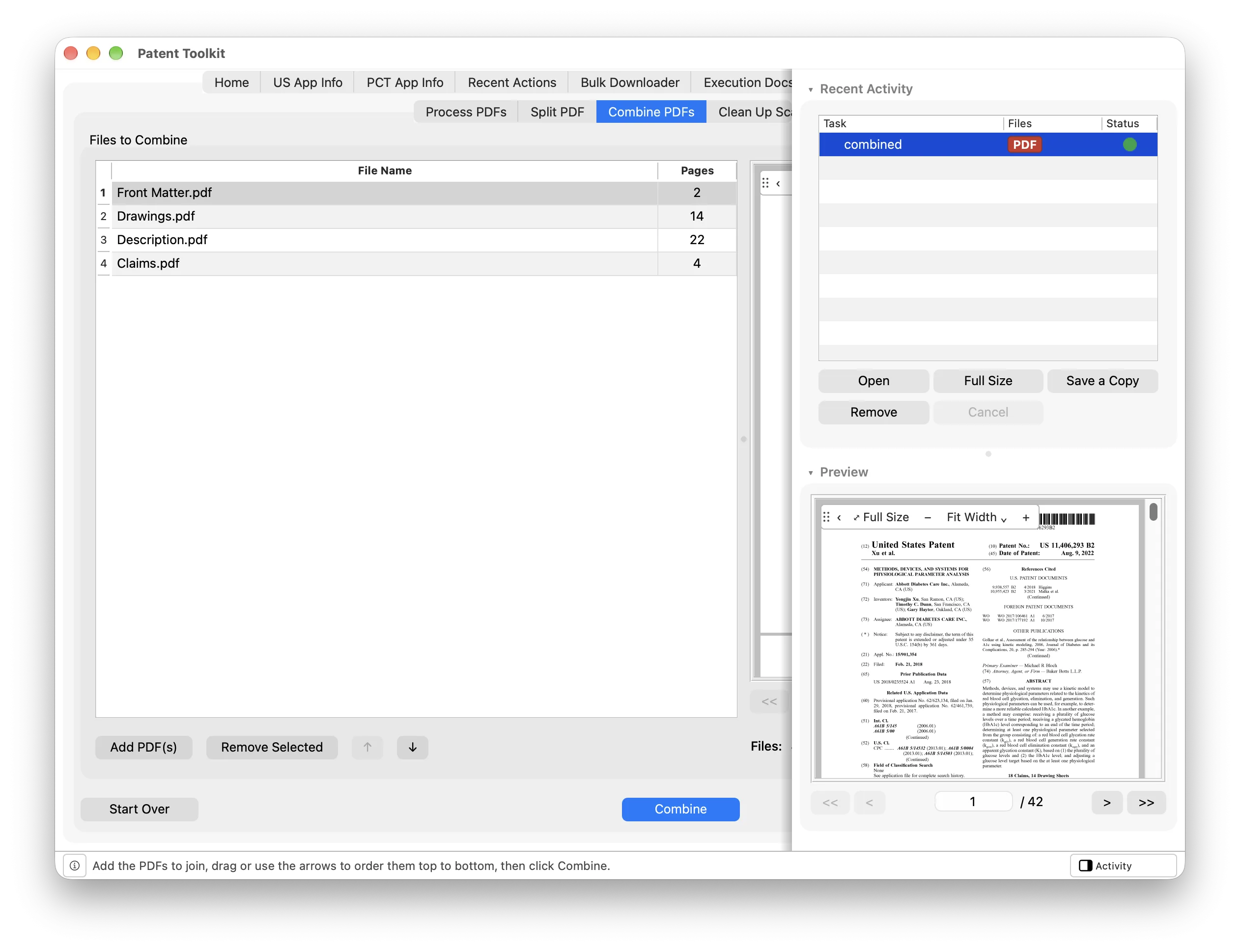
Download references, OCR PDFs, and generate documents in the background while you work in another tab. Track progress, preview results, and retrieve completed files from the Activity sidebar.
Prepare PDFs for clients and filing
Turn scanned documents and drawing sheets into clean, readable PDFs. Apply OCR, resize pages, adjust drawing margins, and check for common filing issues—across a file or an entire folder. PDF Tools are unlimited and require no sign-in.
Tools for your prosecution workflow
Review an application’s history, collect cited references, start a response from your template, and prepare the resulting documents for filing. Use the tools together or choose the ones that fit your next task.
US App Info
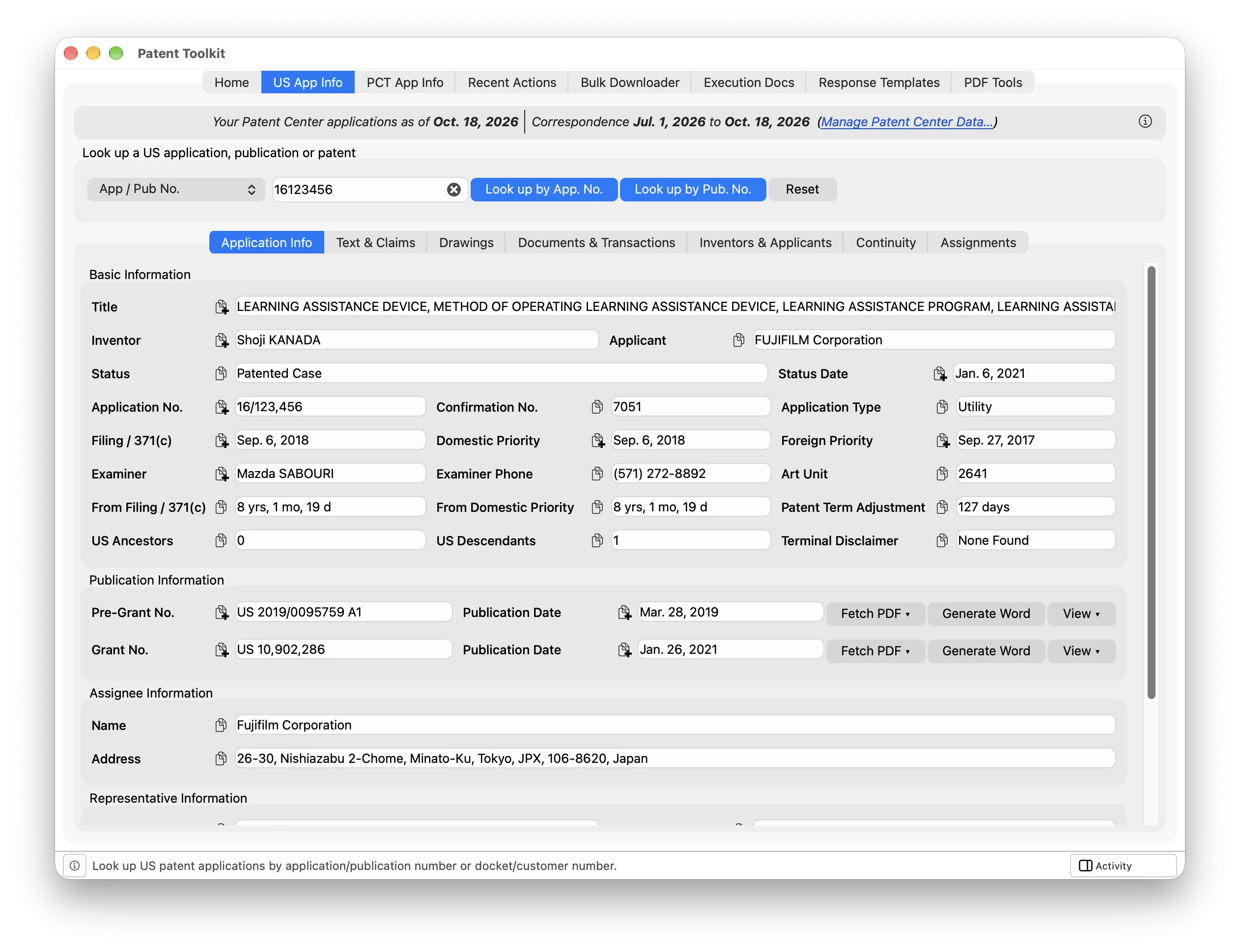
Review the prosecution record
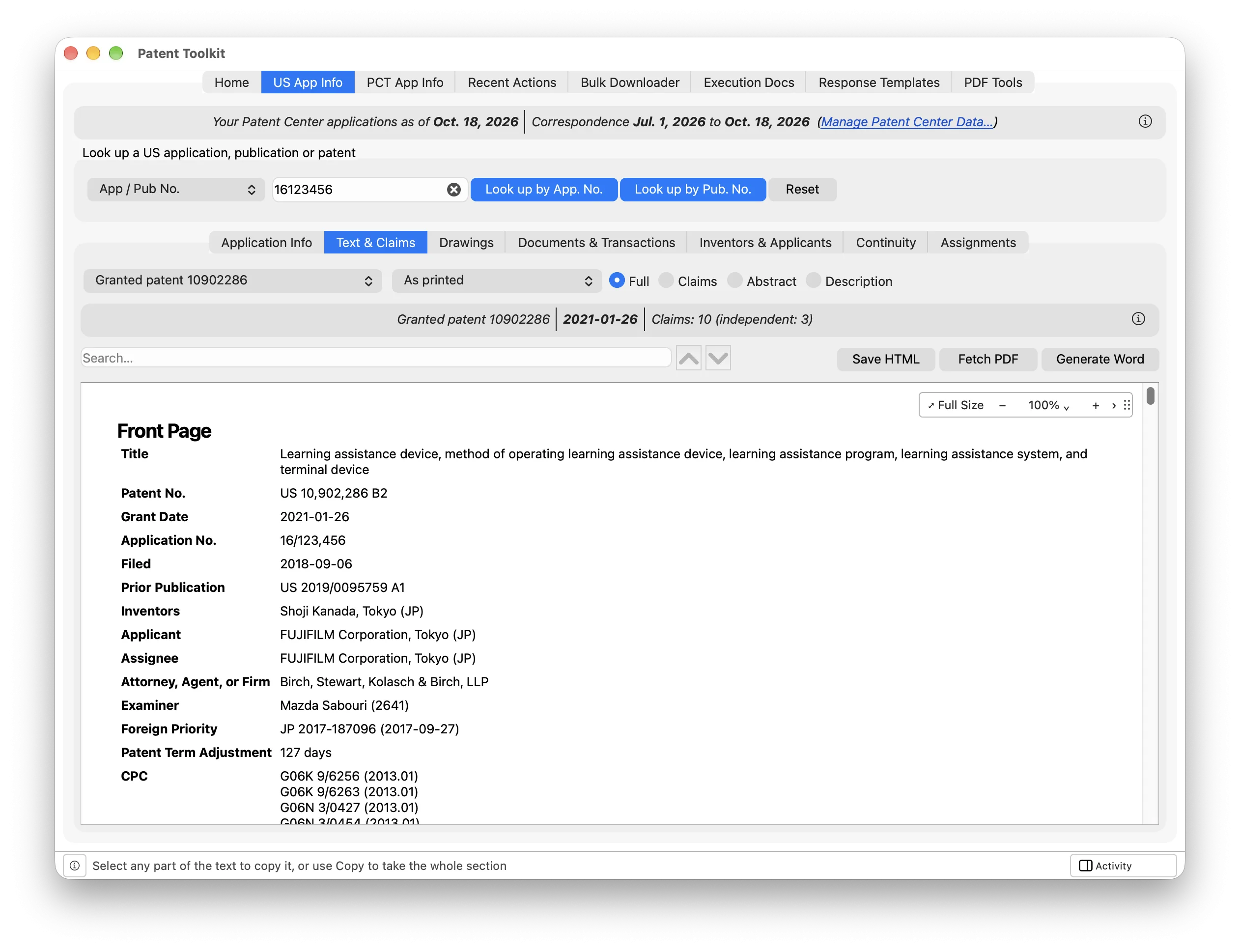
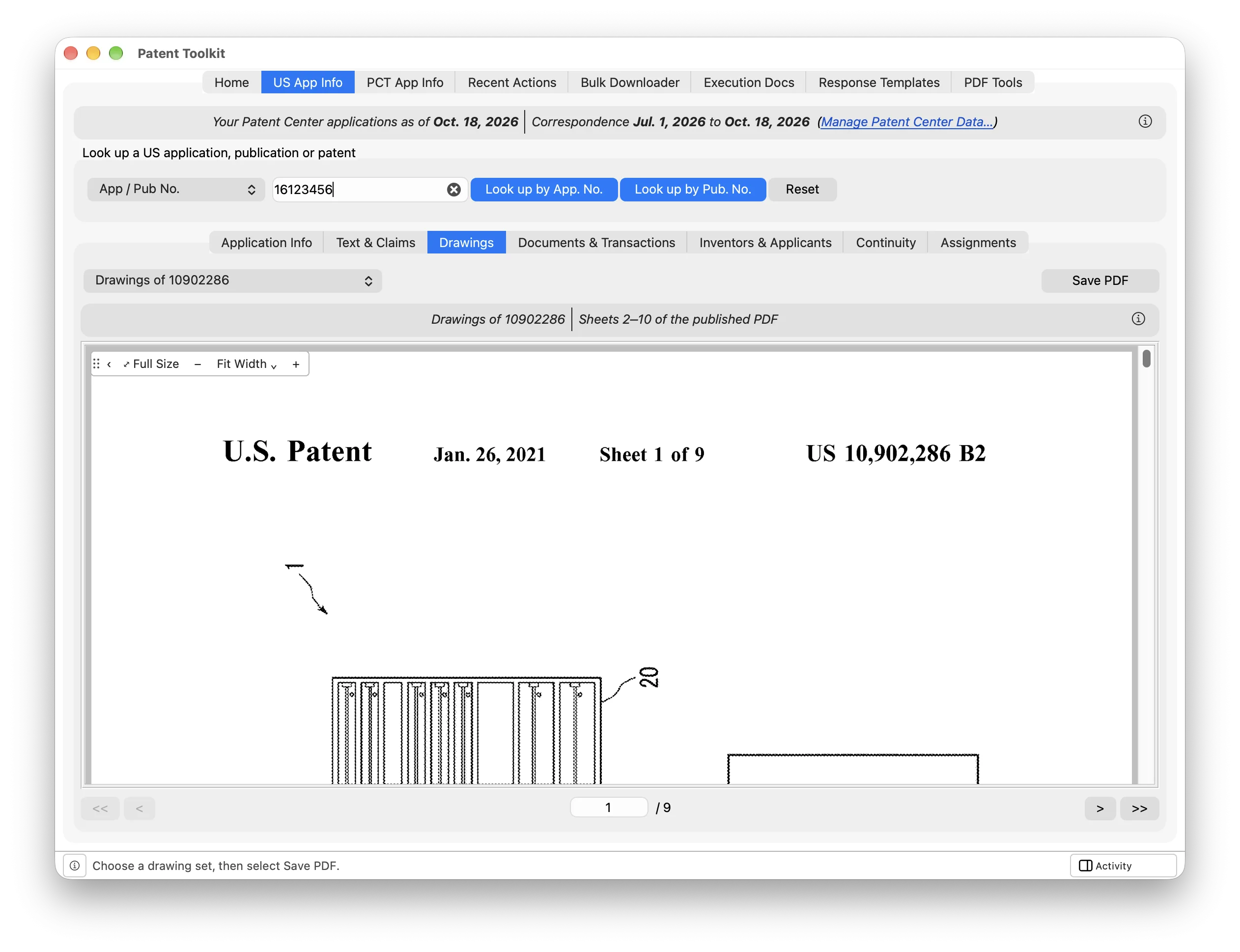
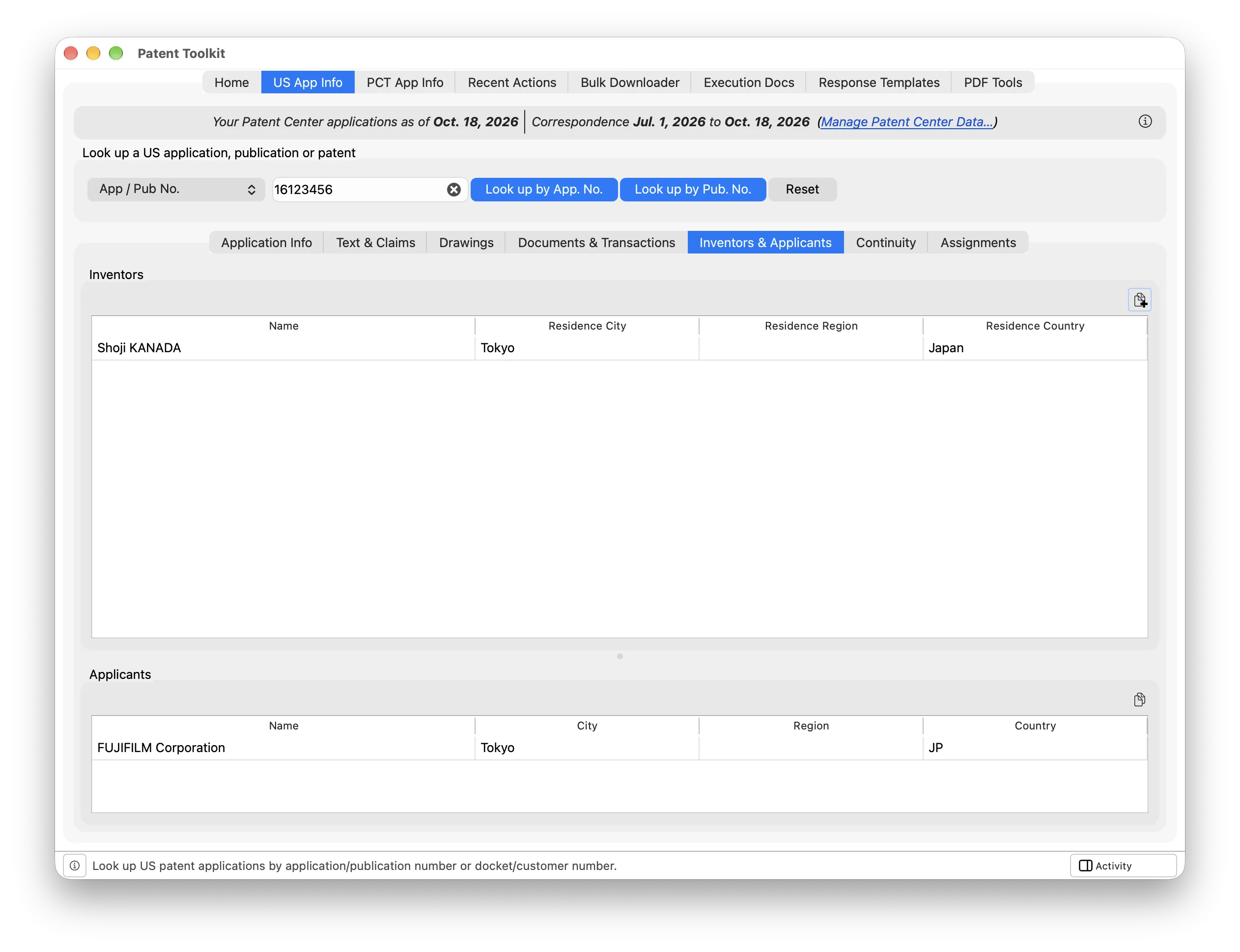
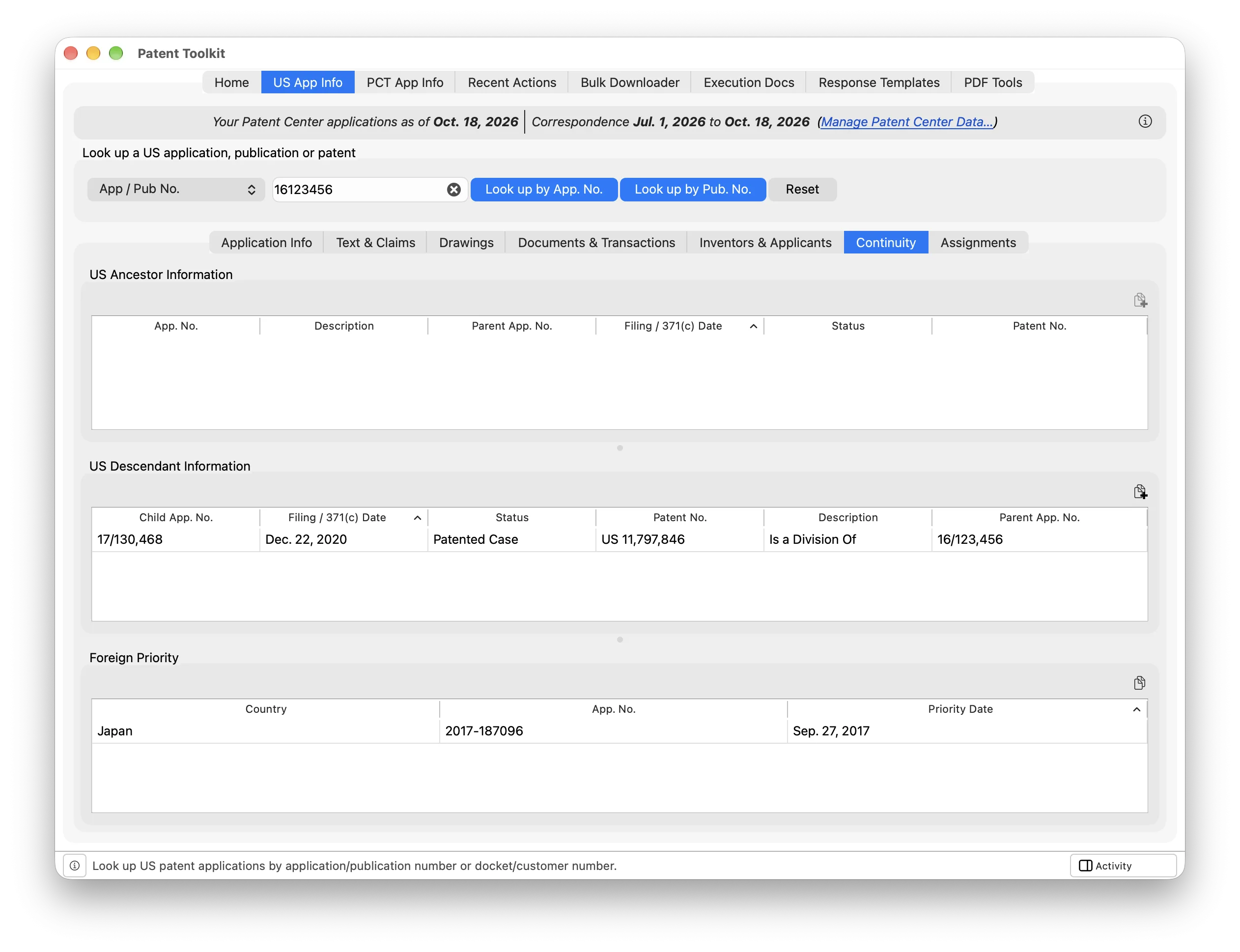
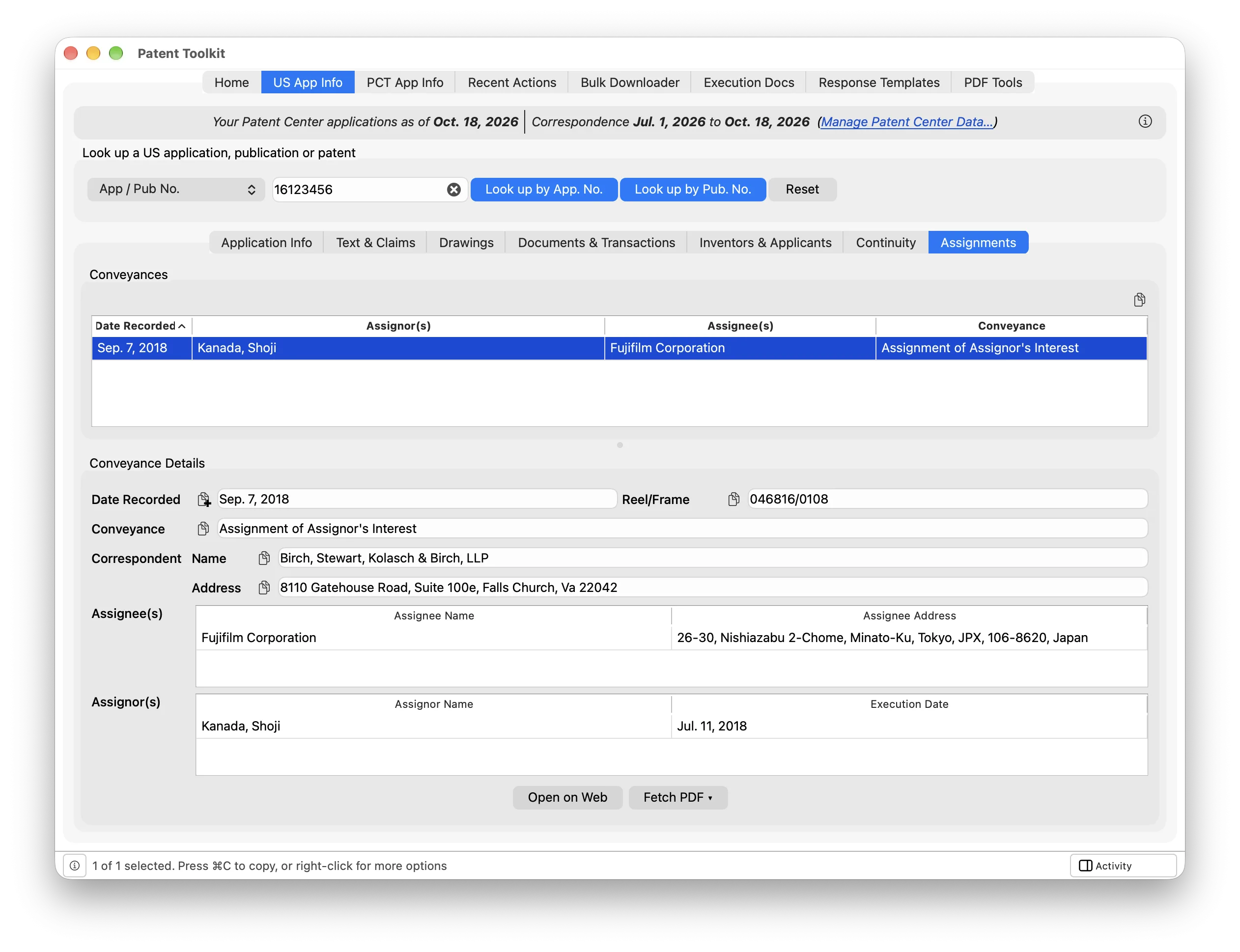
Search by application, publication, patent, docket, or customer number. Review available filed claim sets and compare granted claims with the last claims filed. View original and replacement drawings, continuity and assignments, and export records to Excel.
Include unpublished matters using your Patent Center exports, with coverage based on the data imported.
Recent Actions
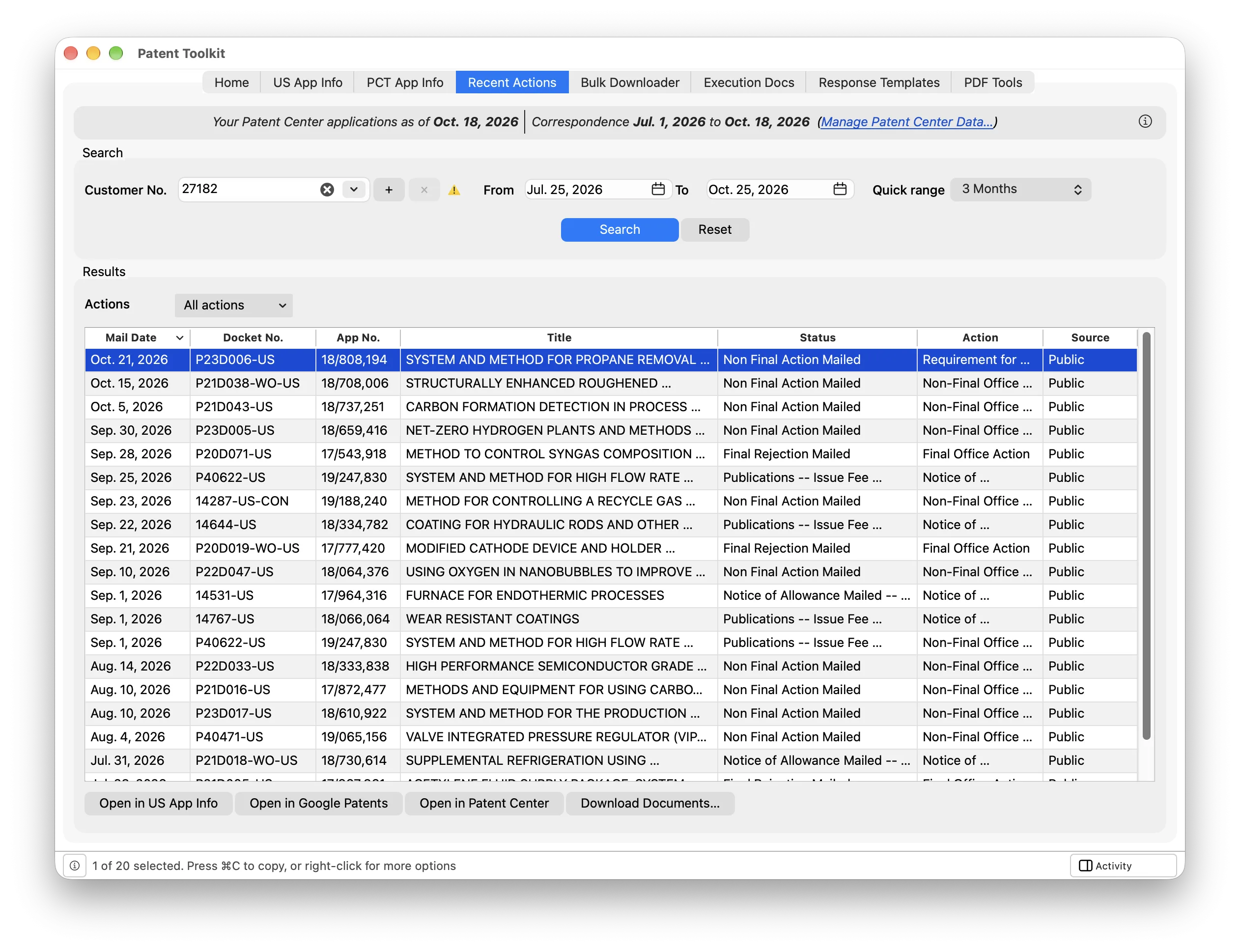
Find recent USPTO correspondence
Search for office actions, allowances, restrictions, and other notices by customer number and date range.
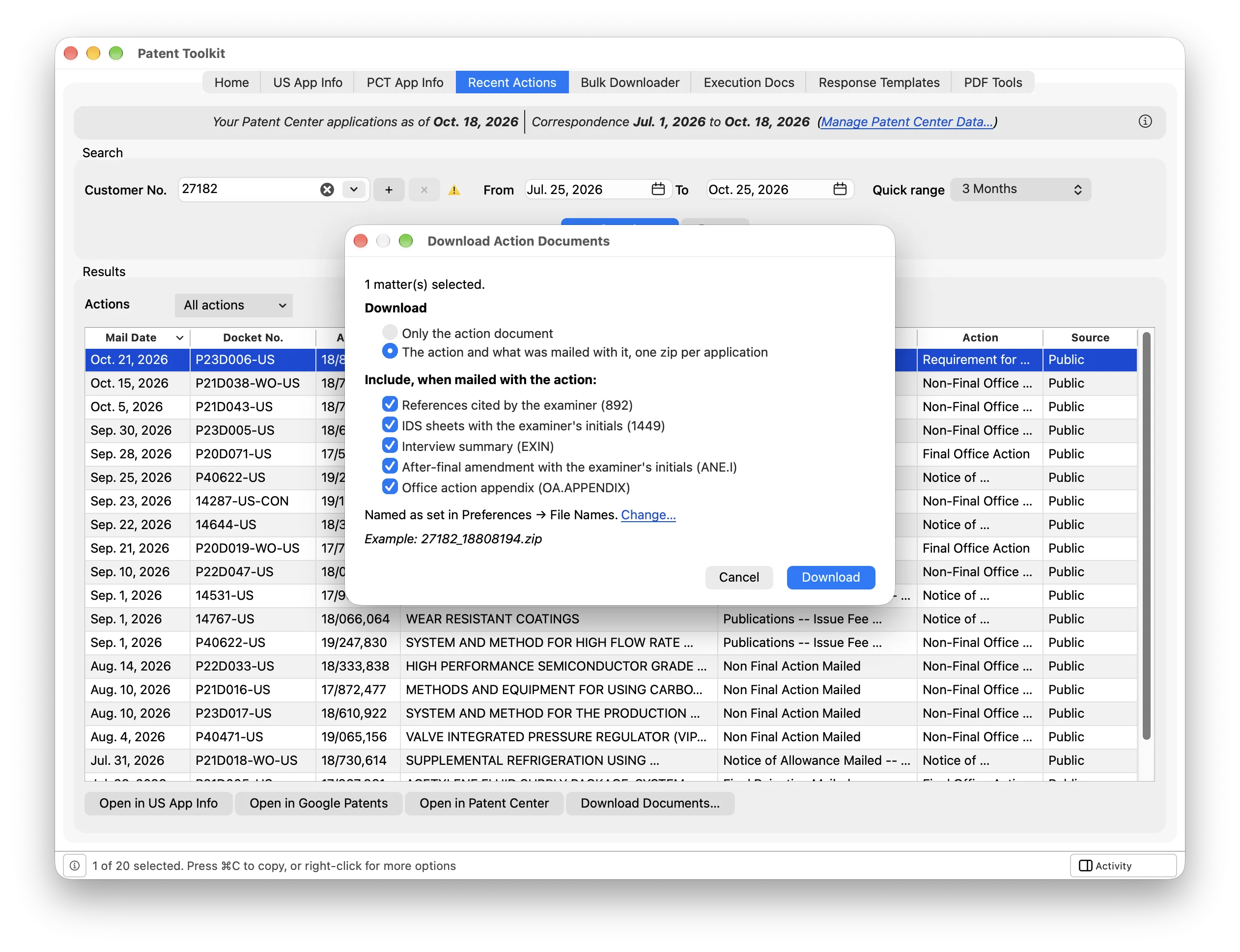
Export results to Excel. Pro adds batch download of an action and its companion documents.
Include unpublished matters using your Patent Center exports, with coverage based on the data imported.
PCT App Info
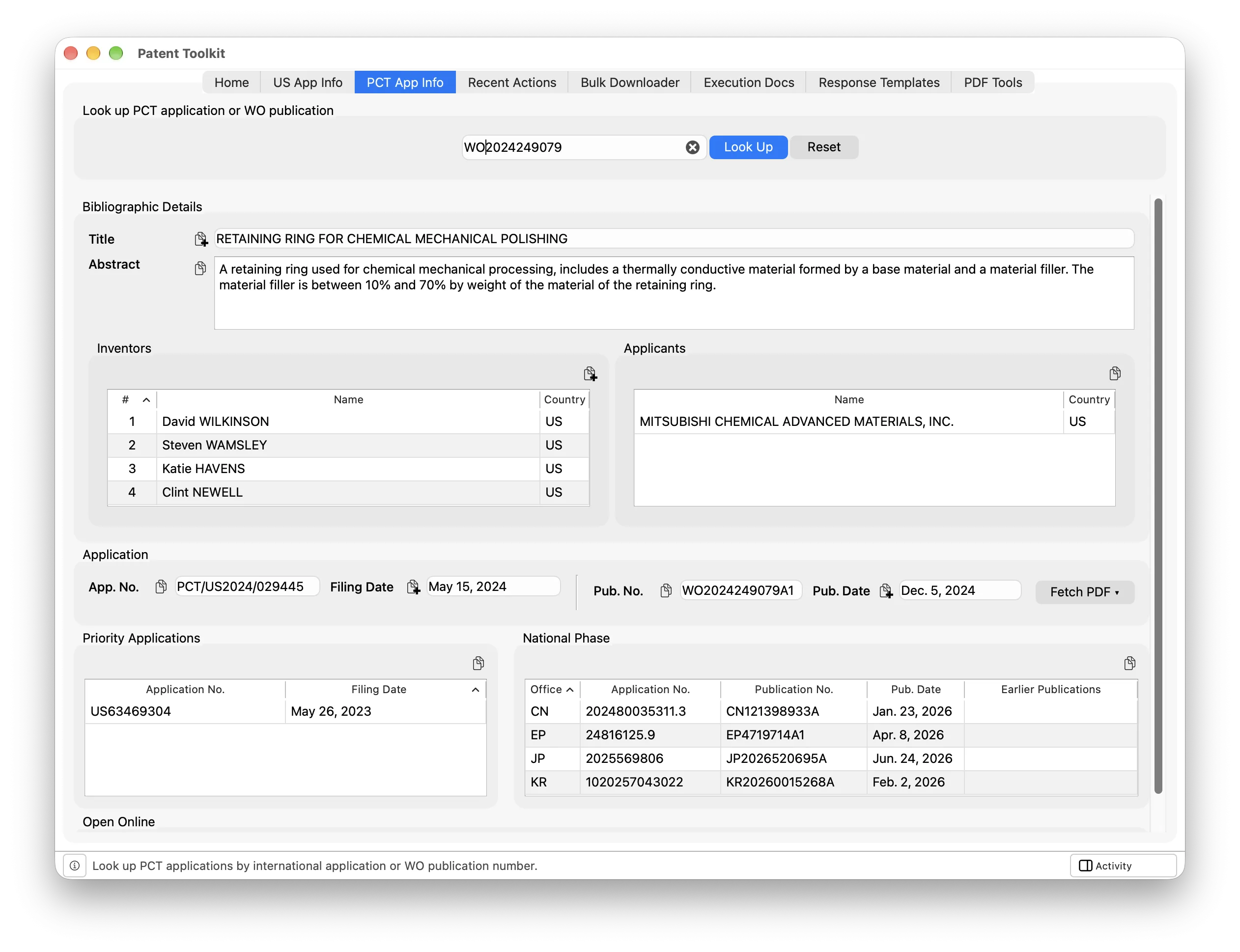
Follow an international application
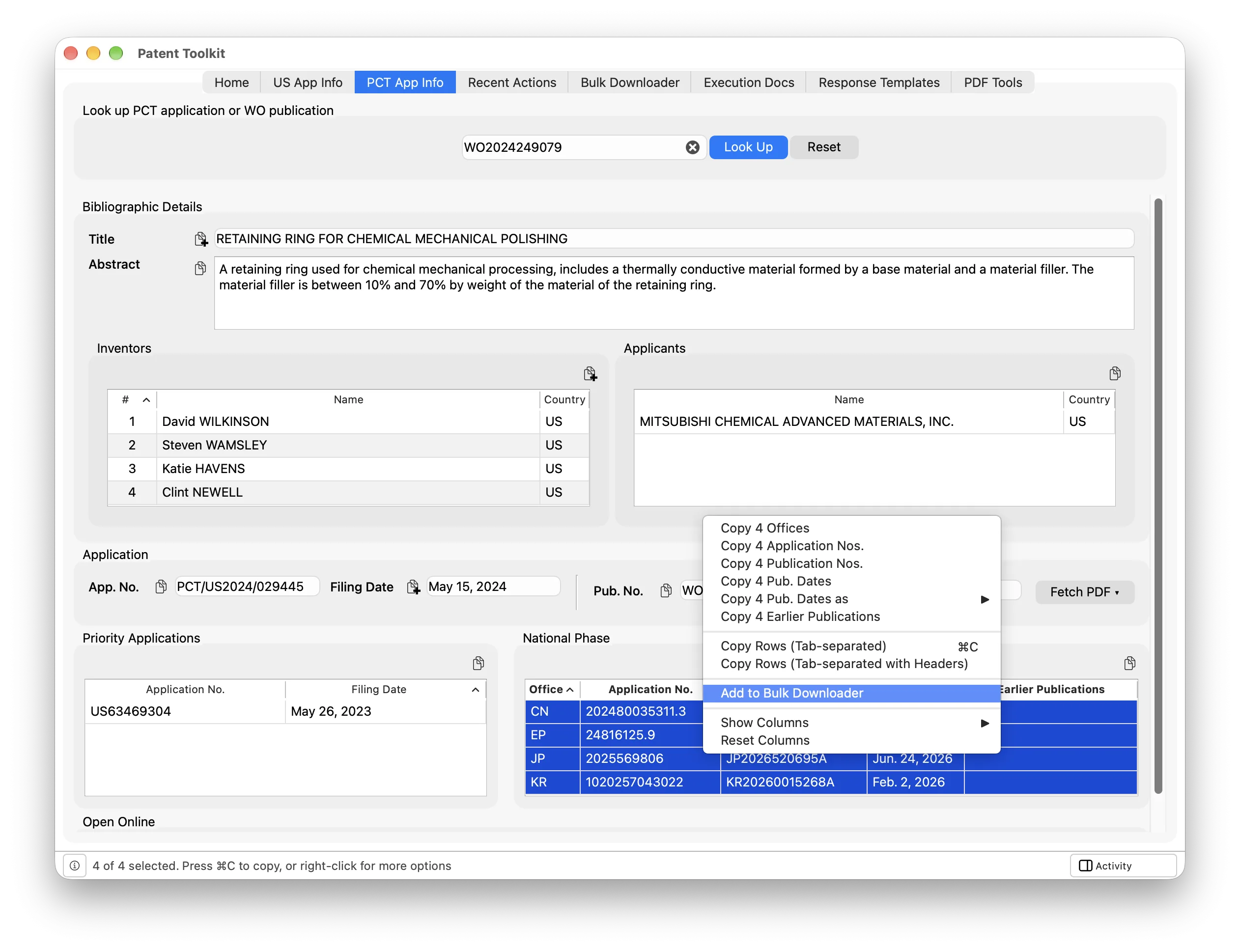
Review inventors, applicants, priority claims, and reported national phase entries. Download available publications or add several to Bulk Downloader.
Open the record in PATENTSCOPE, Espacenet or Global Dossier.
Bulk Downloader
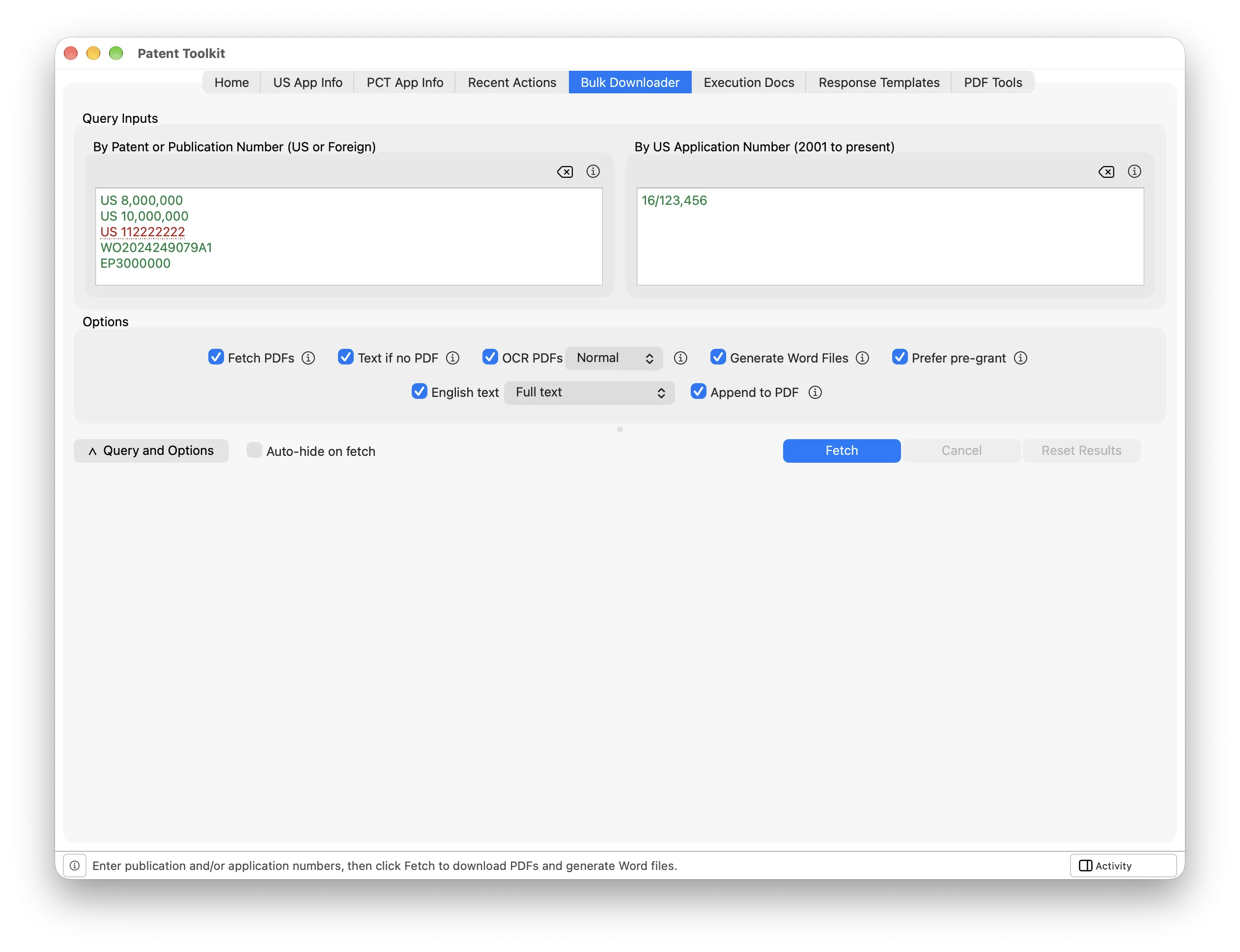
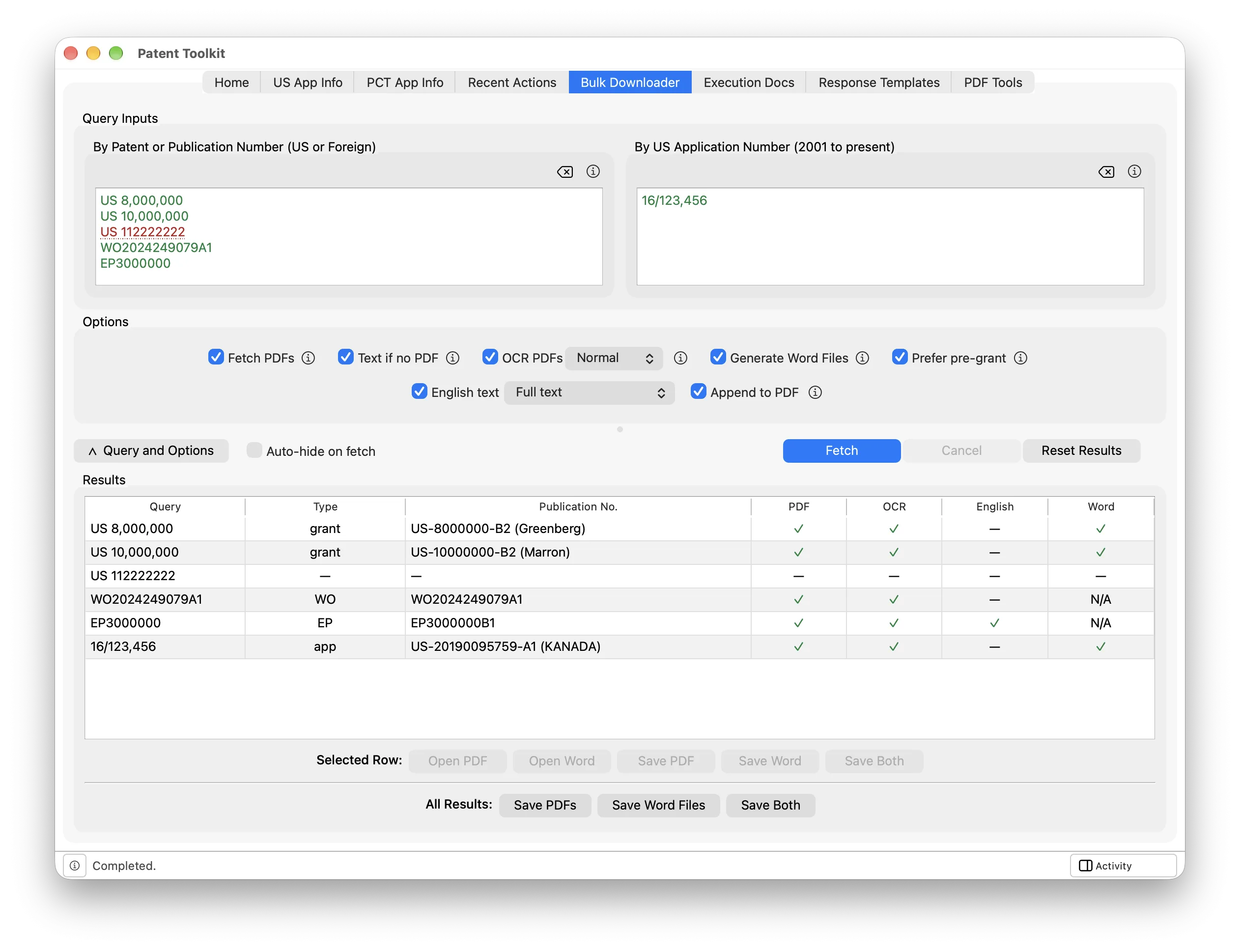
Collect references in a single batch
Paste US or foreign publication numbers to fetch PDFs, with optional OCR. Generate Word files for US publications, or retrieve available English text for foreign references, labeled with its source. Use Word files and searchable PDFs to prepare references for AI review.
US patent and publication PDF-only batches, including OCR, are unlimited without signing in. Batches with Word files, foreign publications, or US application numbers use an allowance.
Execution Docs
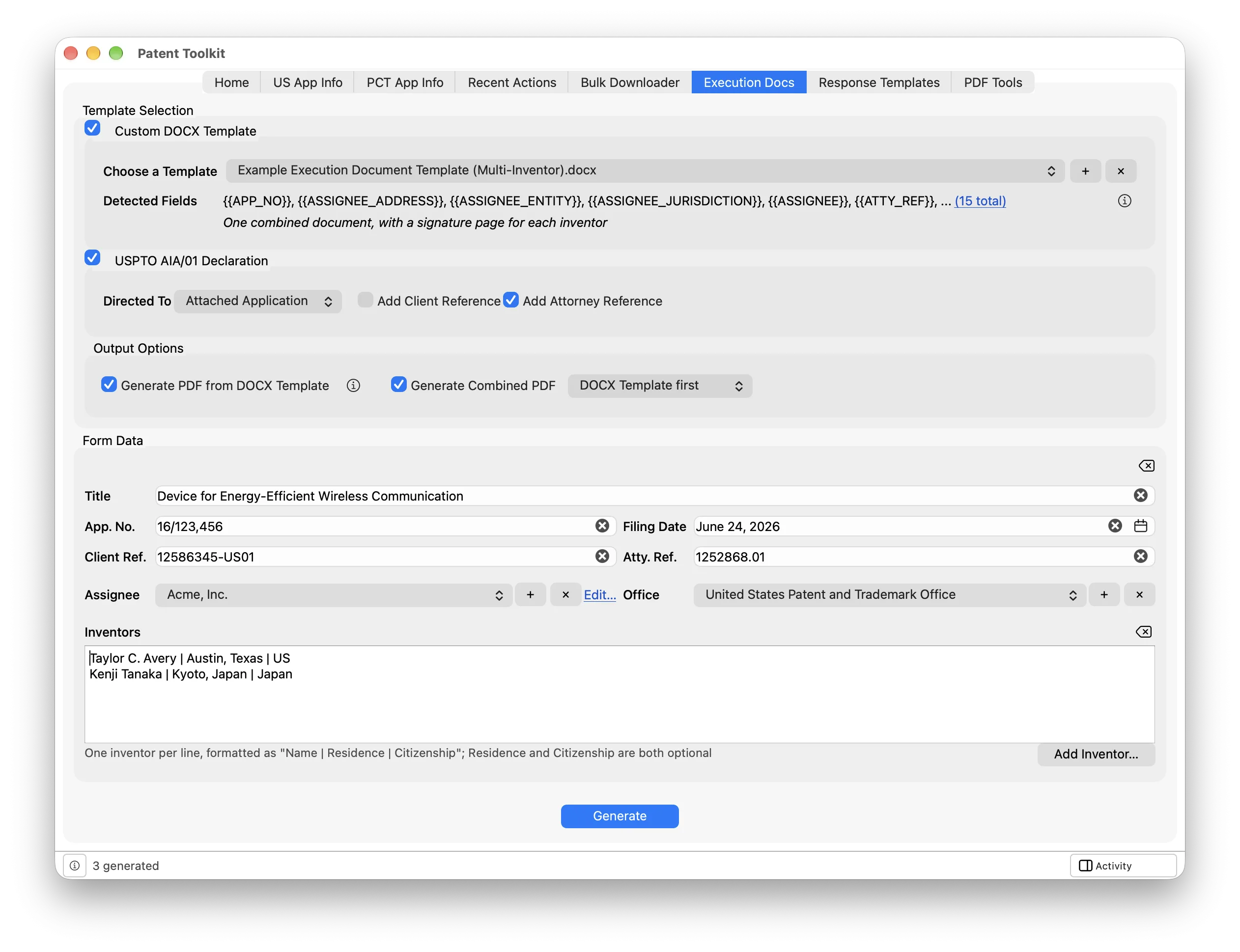
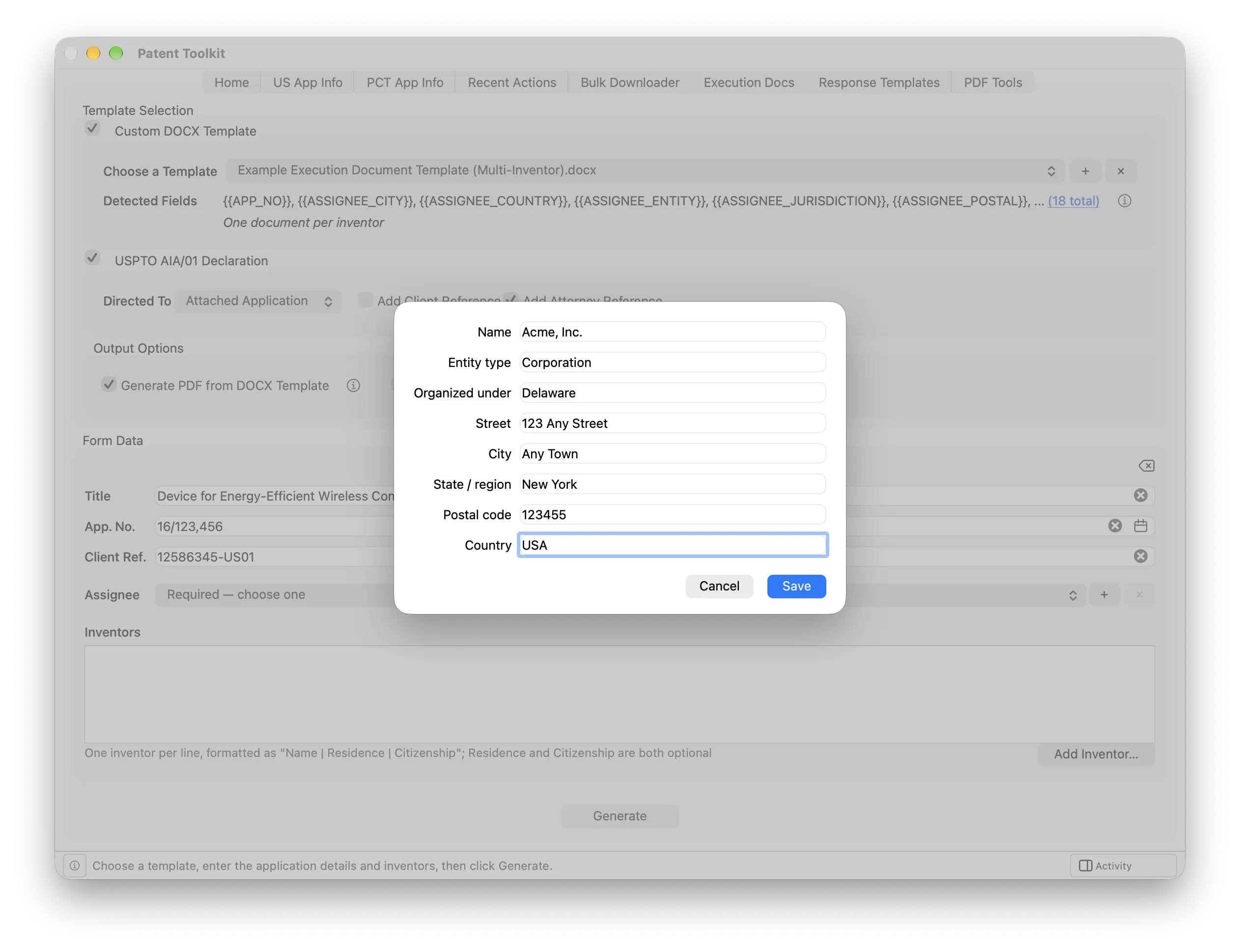
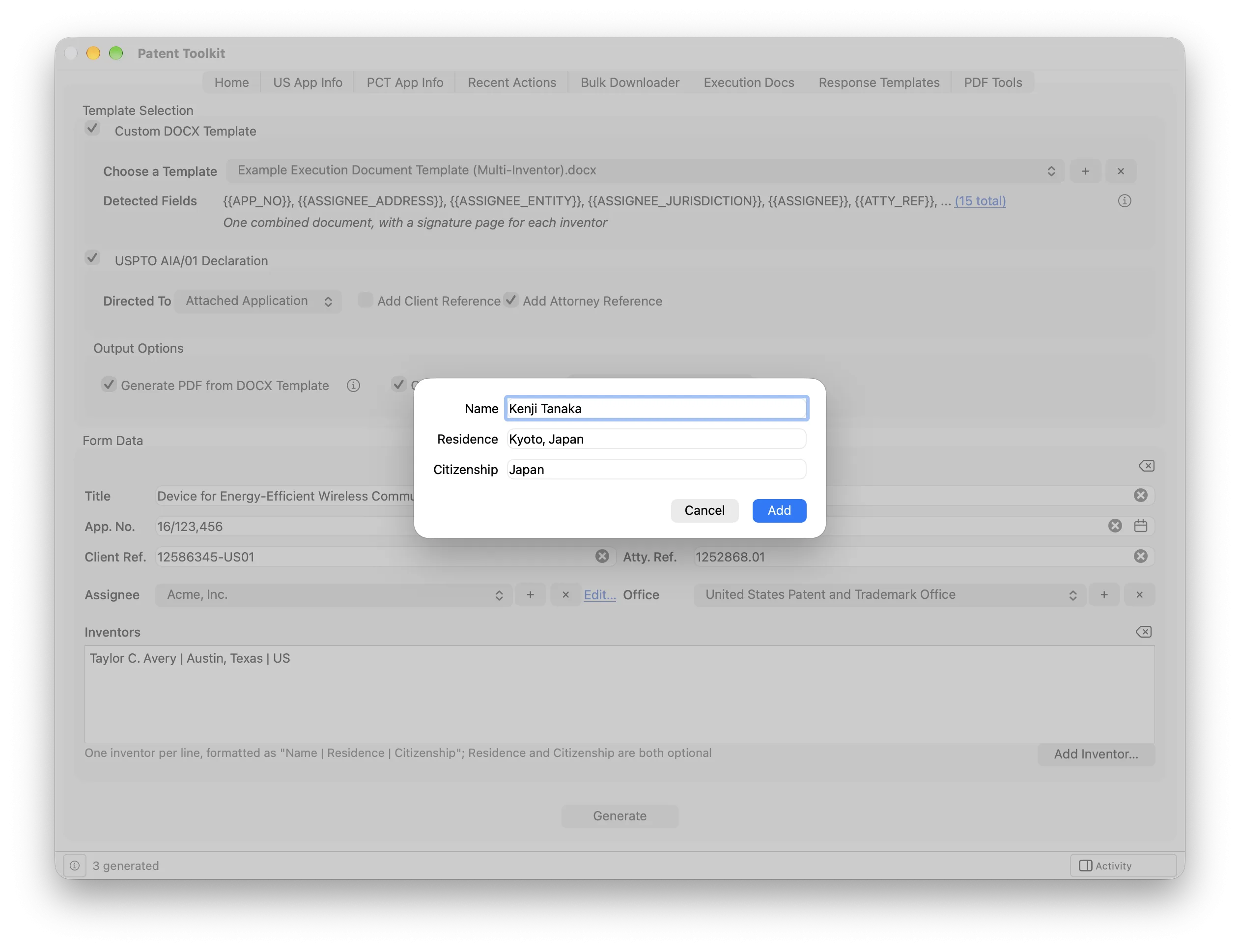
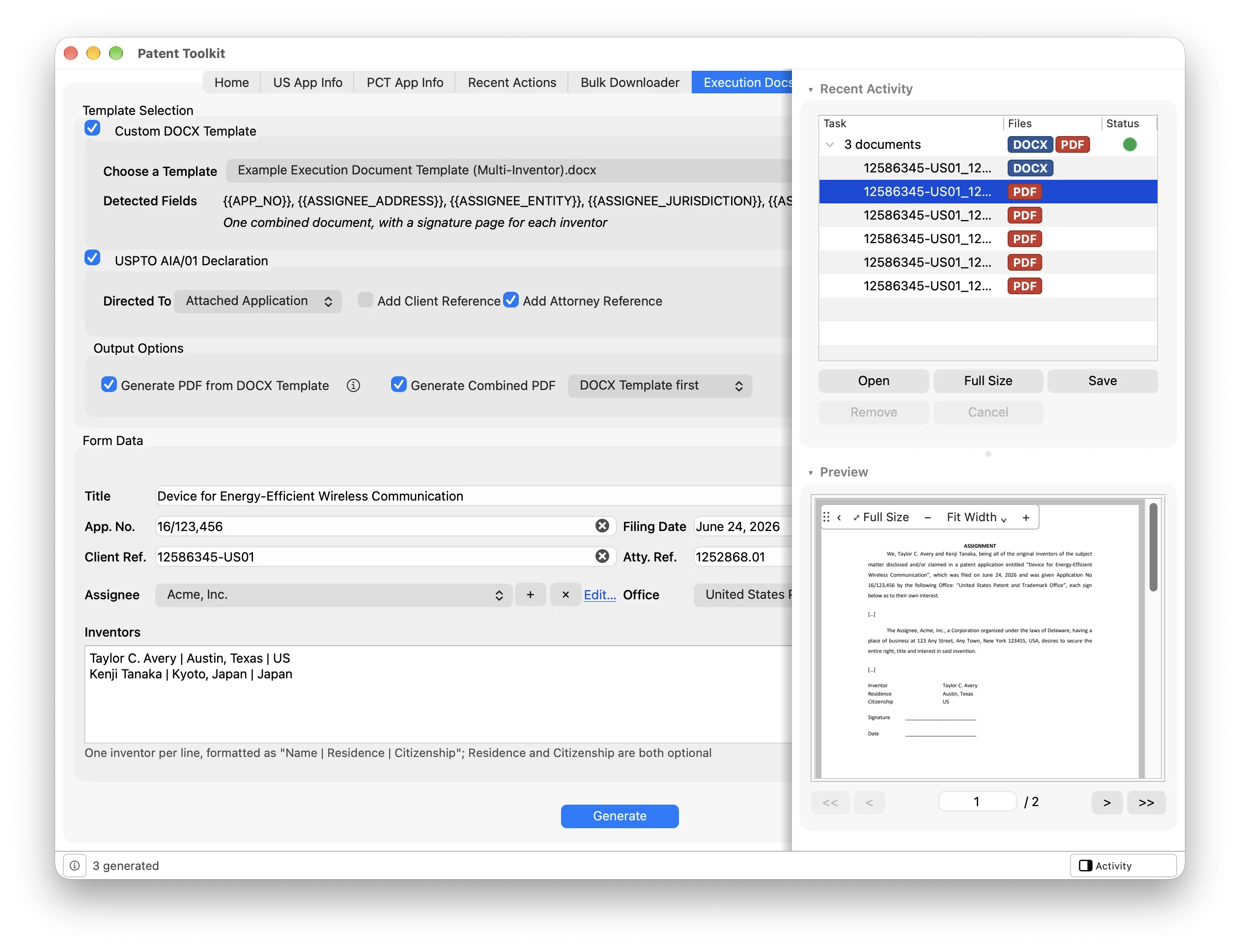
Generate inventor documents from your templates
Fill your DOCX declaration or assignment template for each inventor, or use a repeating inventor block for a joint document. Generate USPTO AIA/01 declarations and optional combined PDFs.
Converting template output to PDF requires Microsoft Word and, on macOS, the Patent Toolkit Helper.
Response Templates
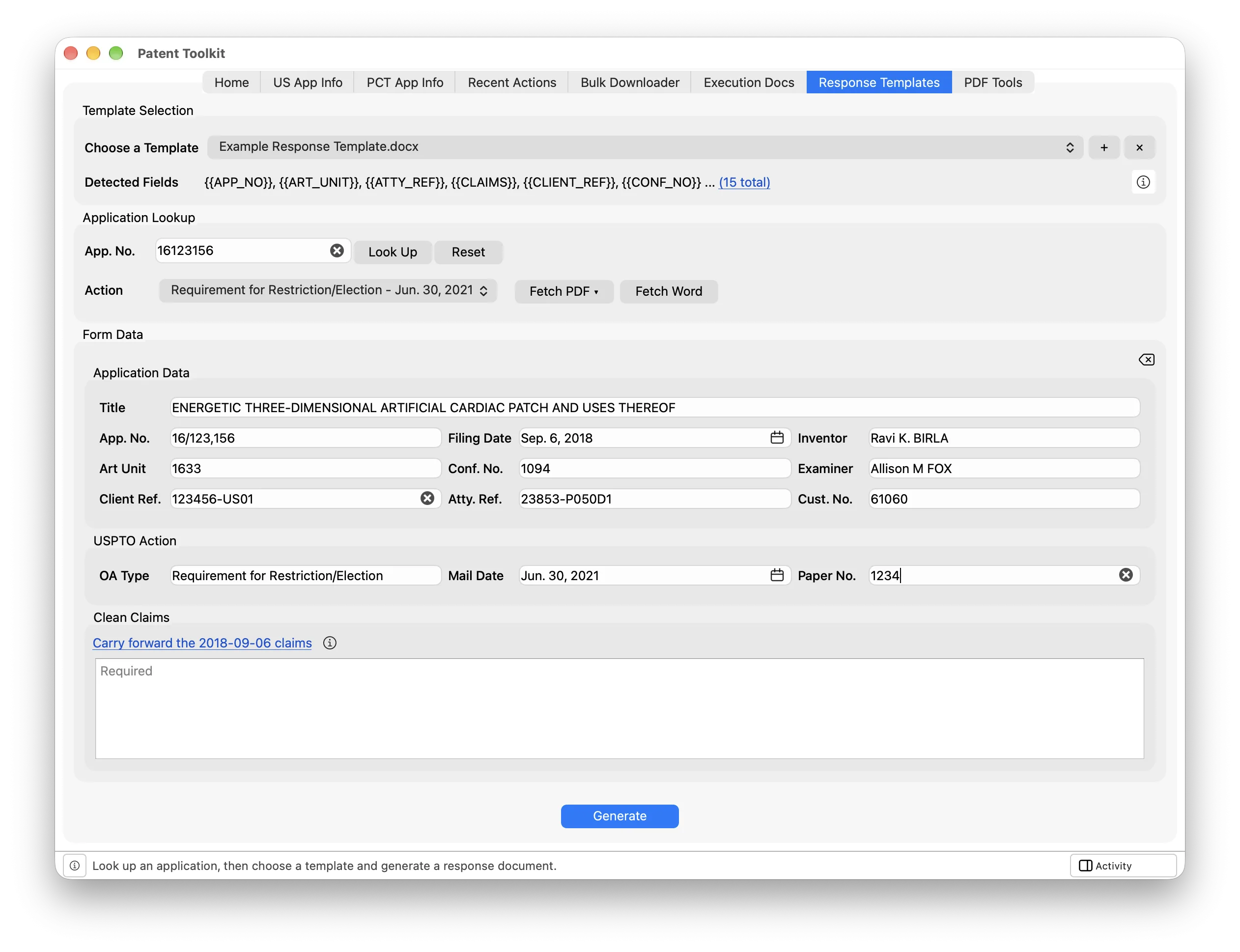
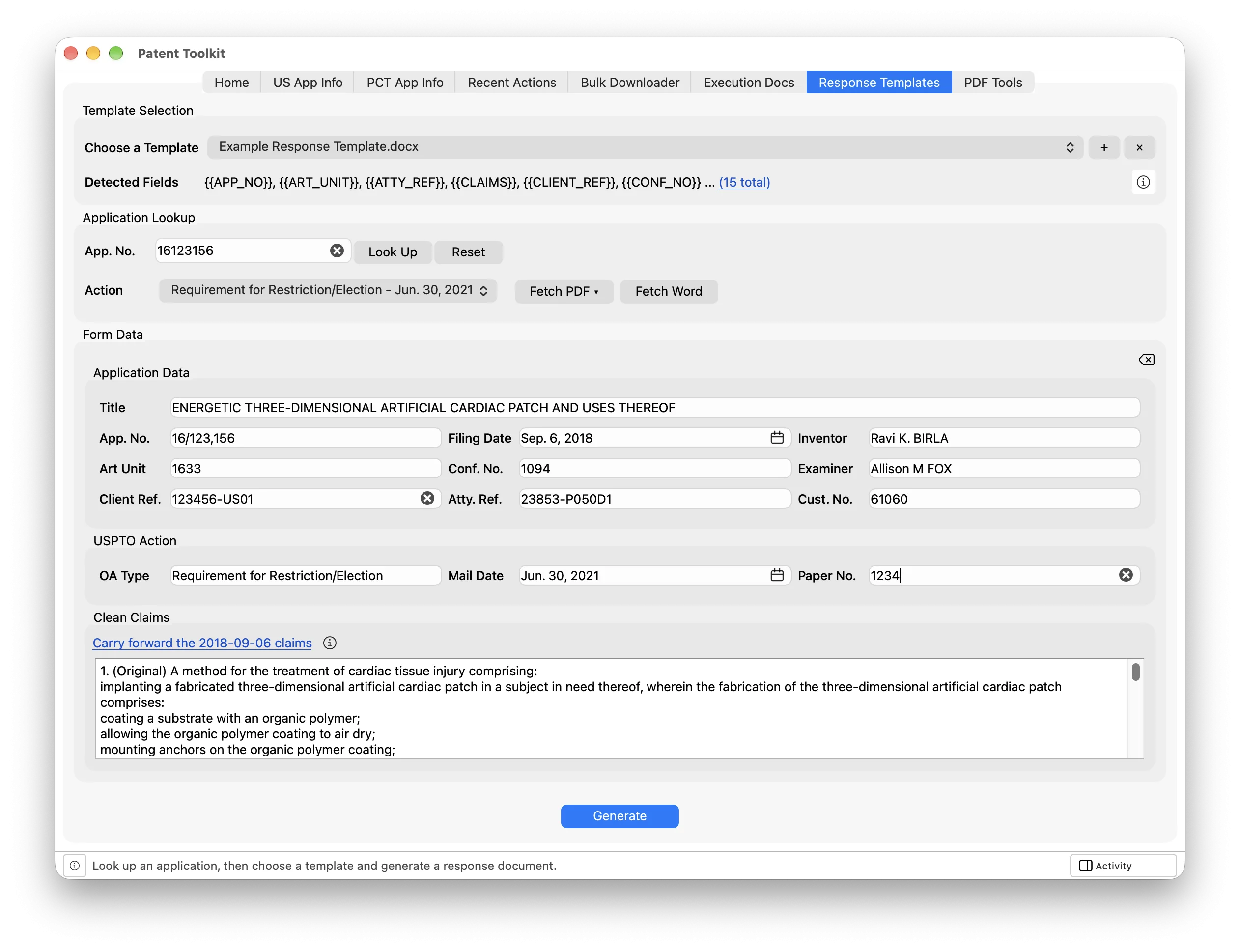
Create response documents from your templates
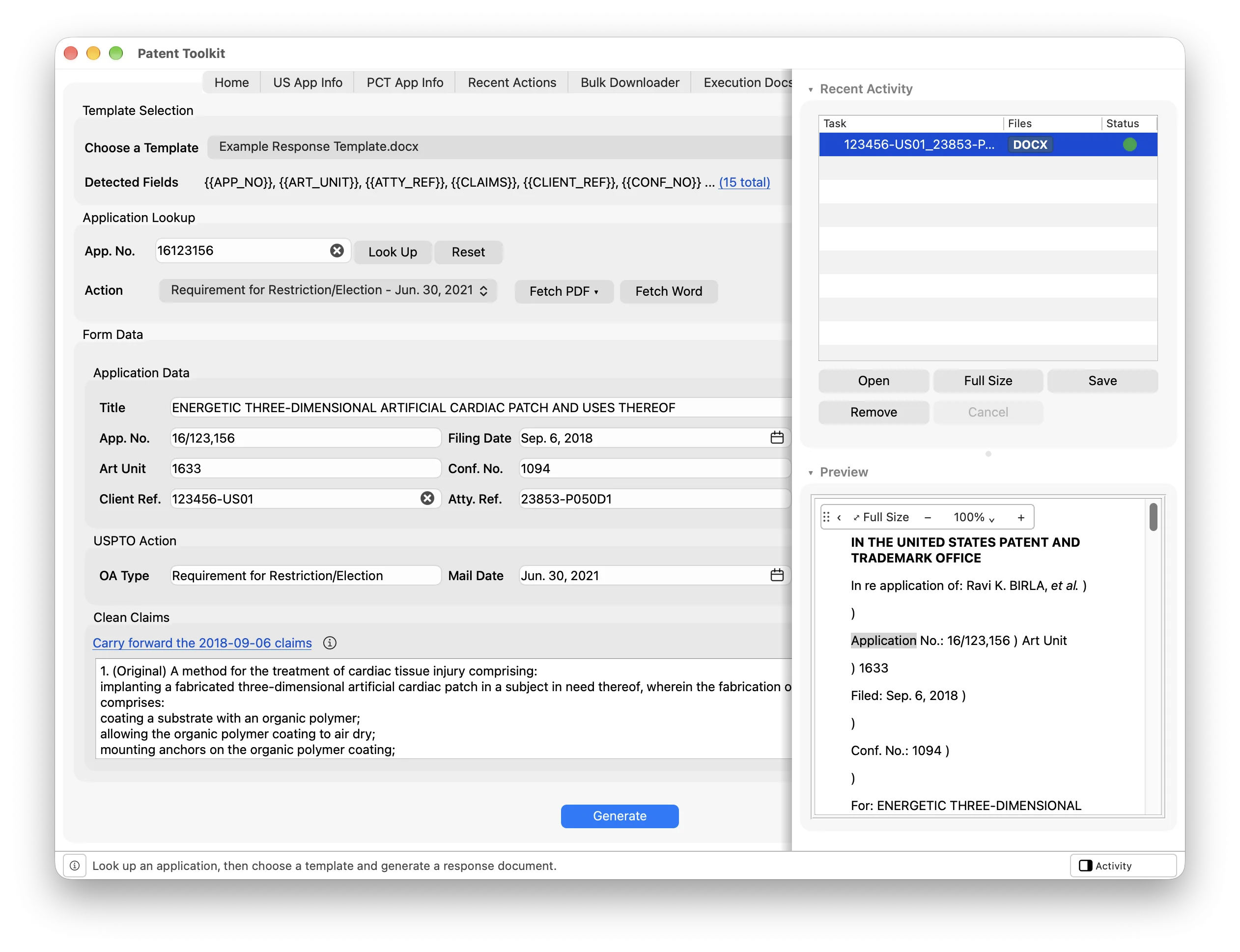
Select a USPTO action and fill your DOCX template with application details and action information. Where available, carry forward the latest filed claim listing with status identifiers updated for the next amendment. Review the populated fields and claims before generating.
PDF Tools
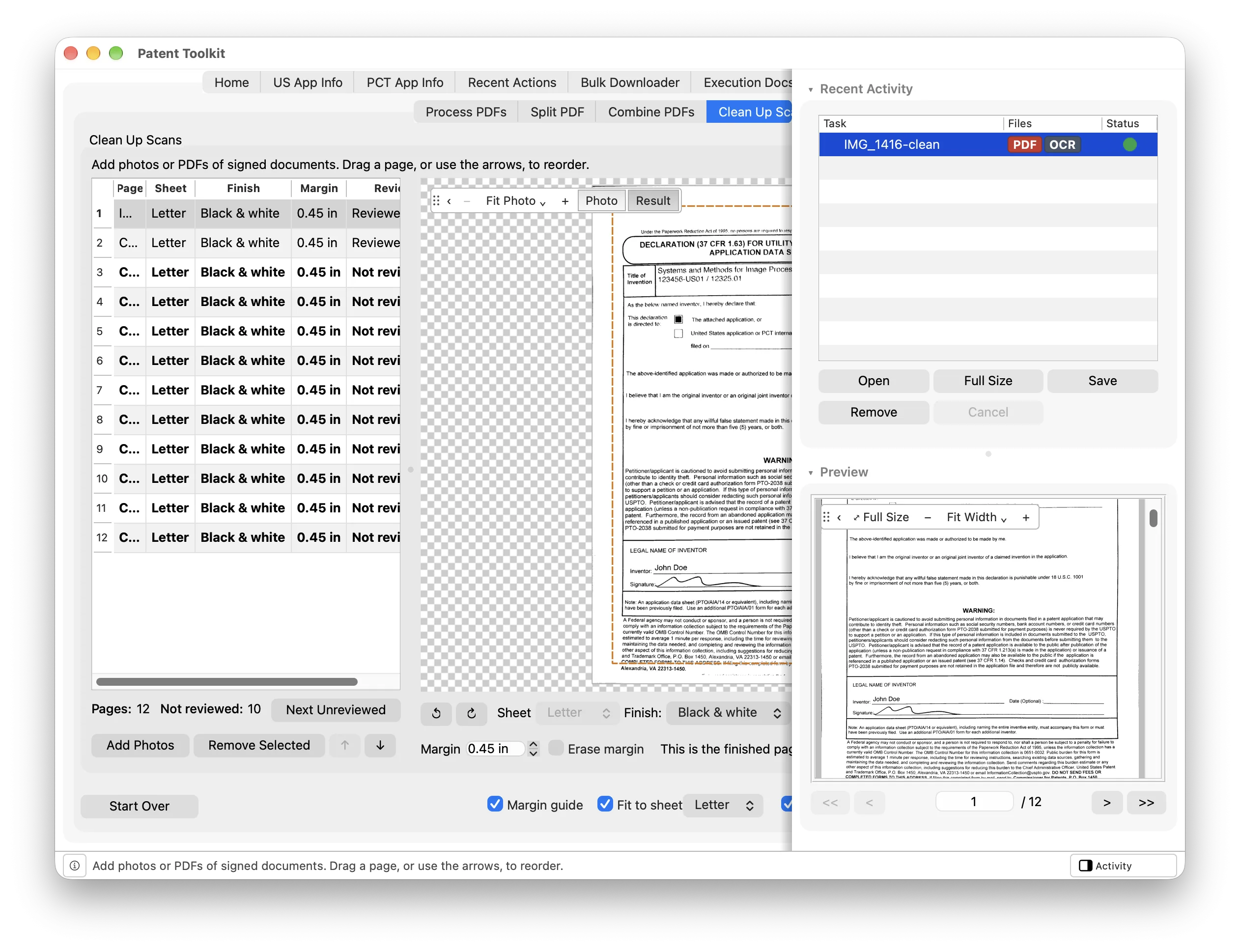
Process PDFs and clean up scanned documents
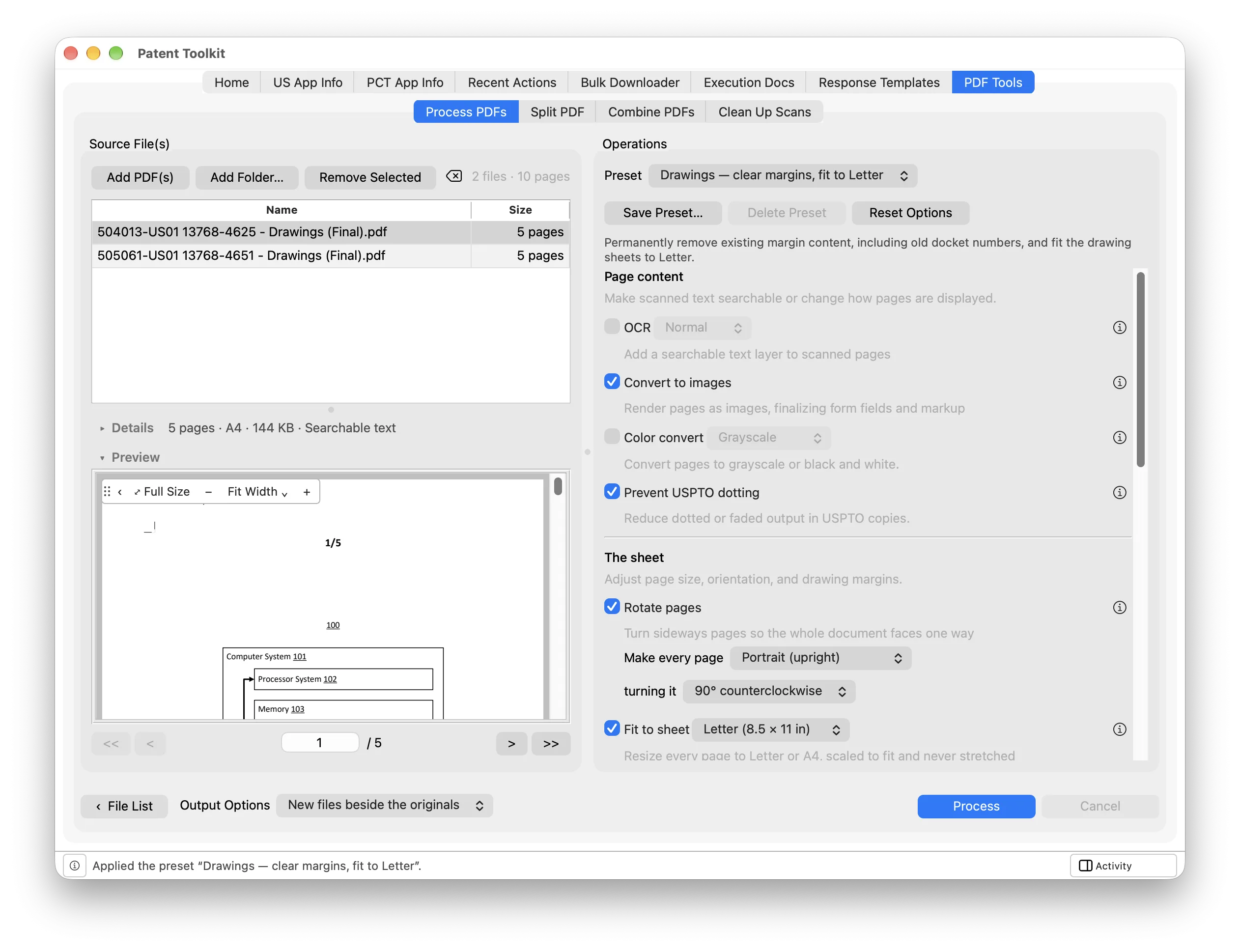
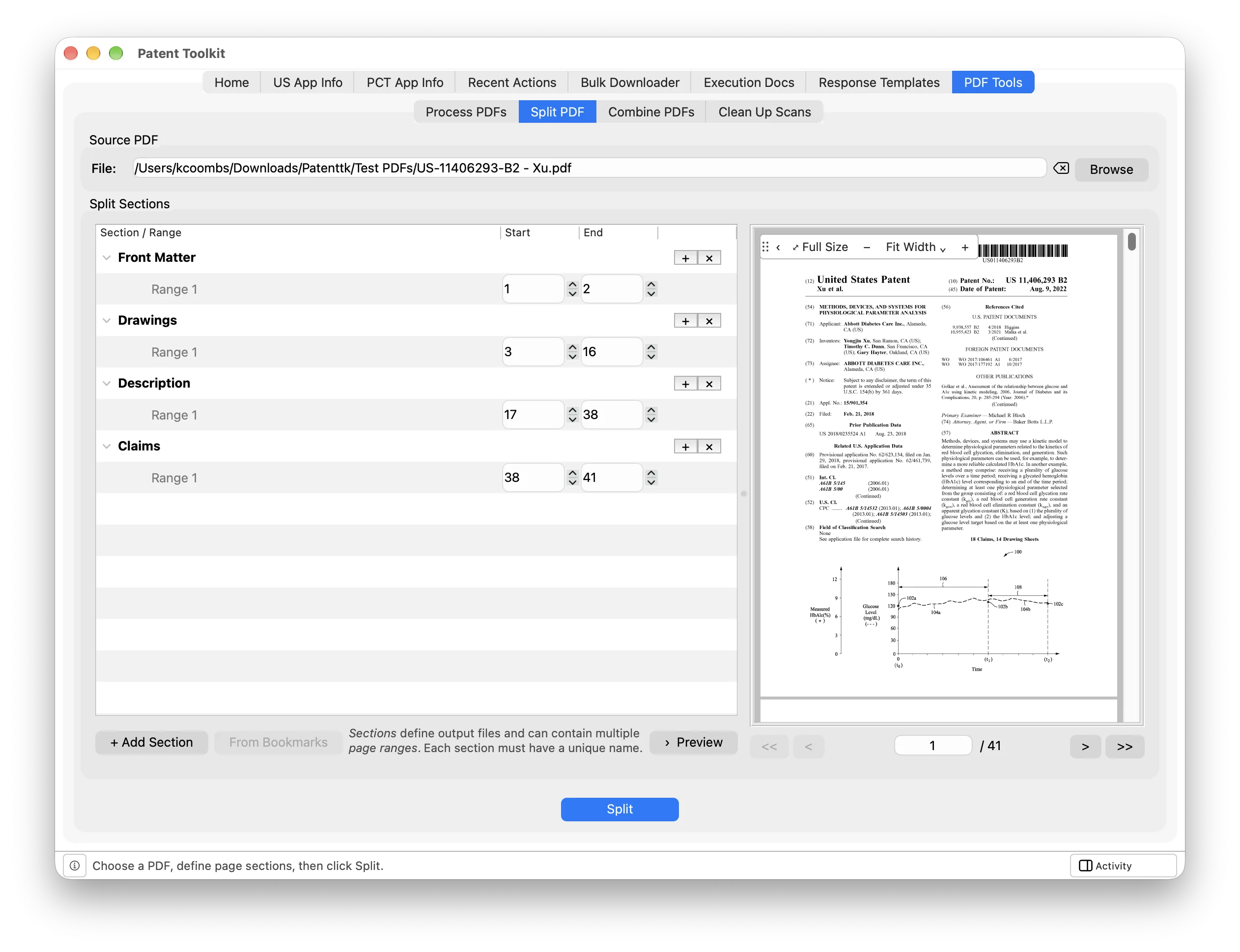
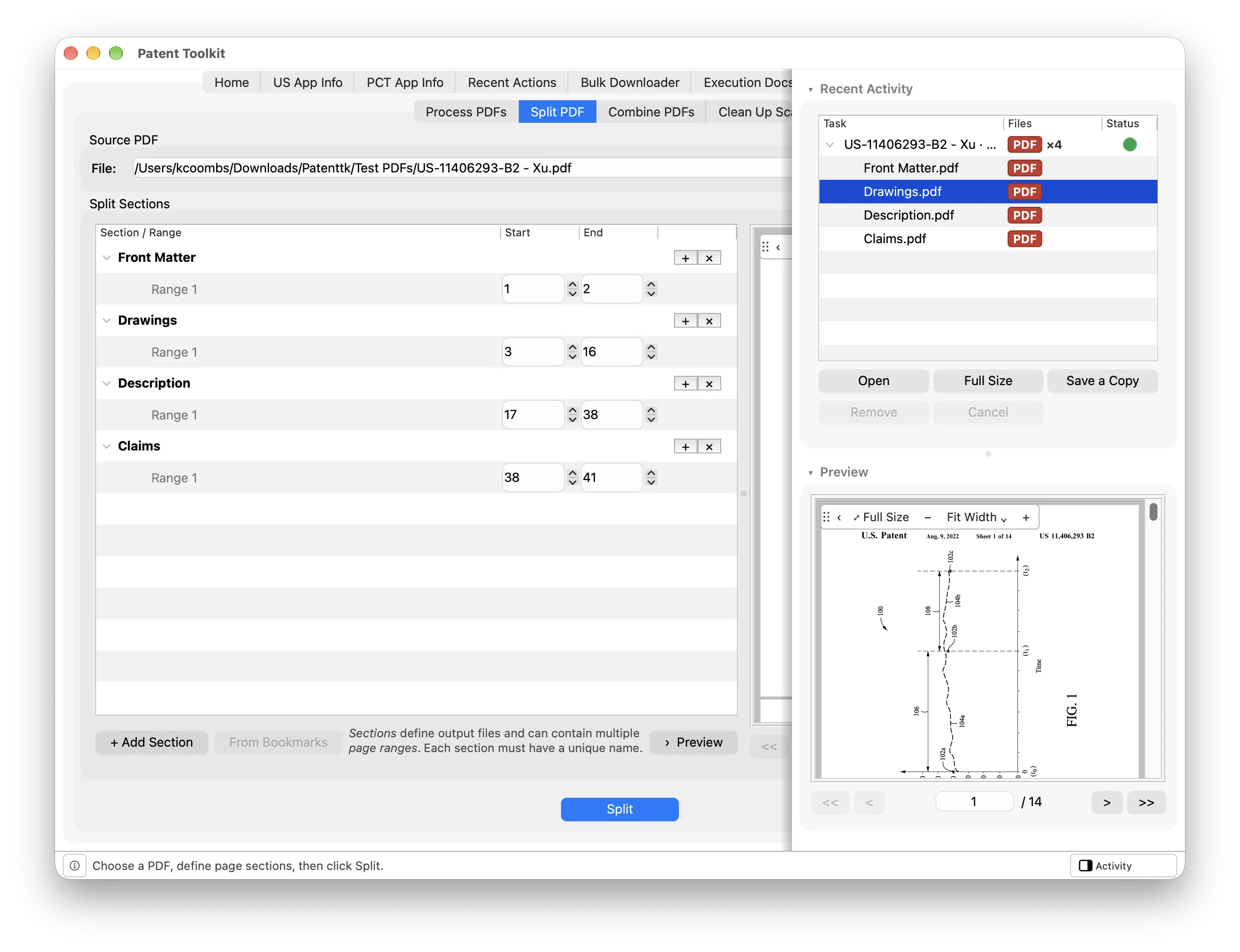
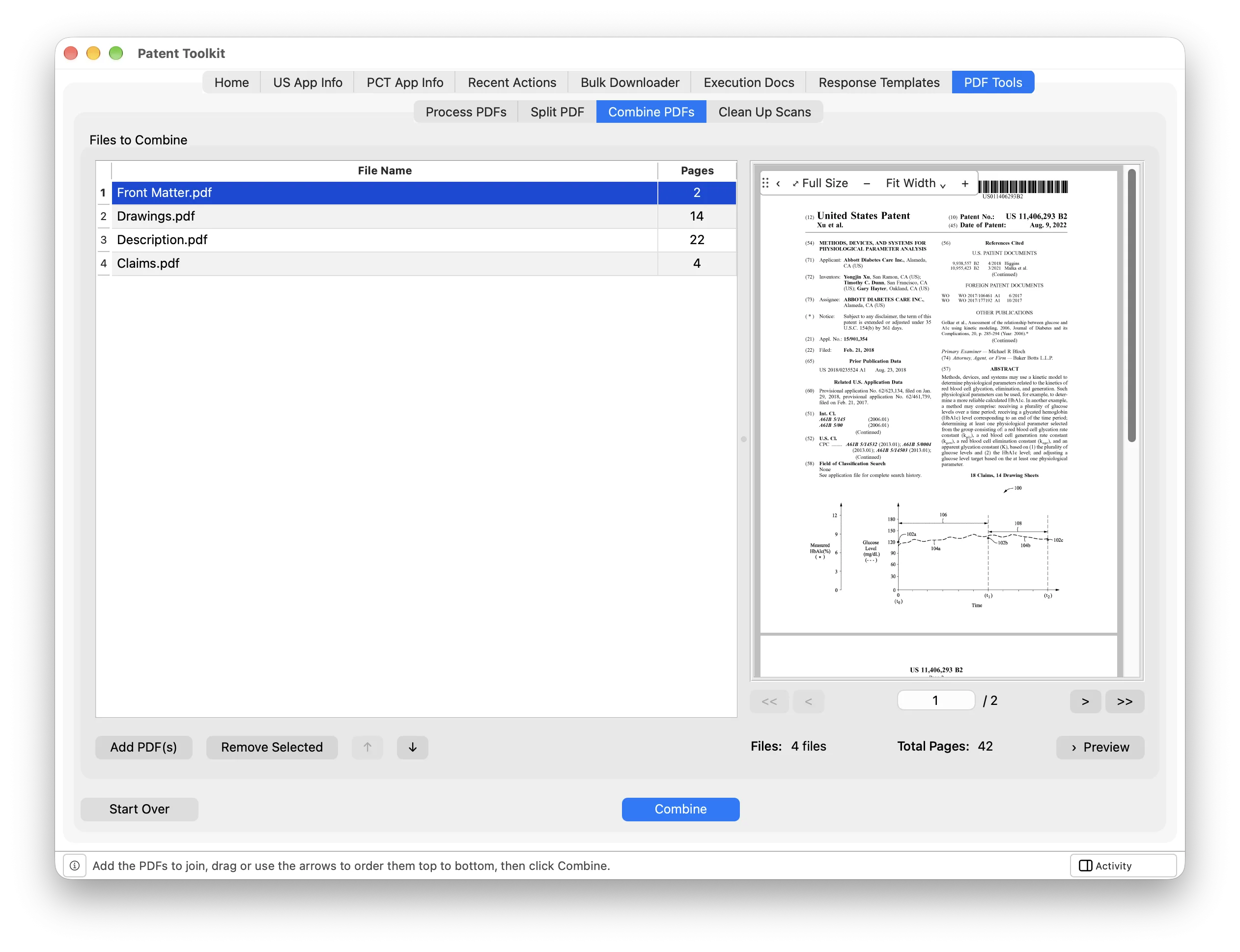
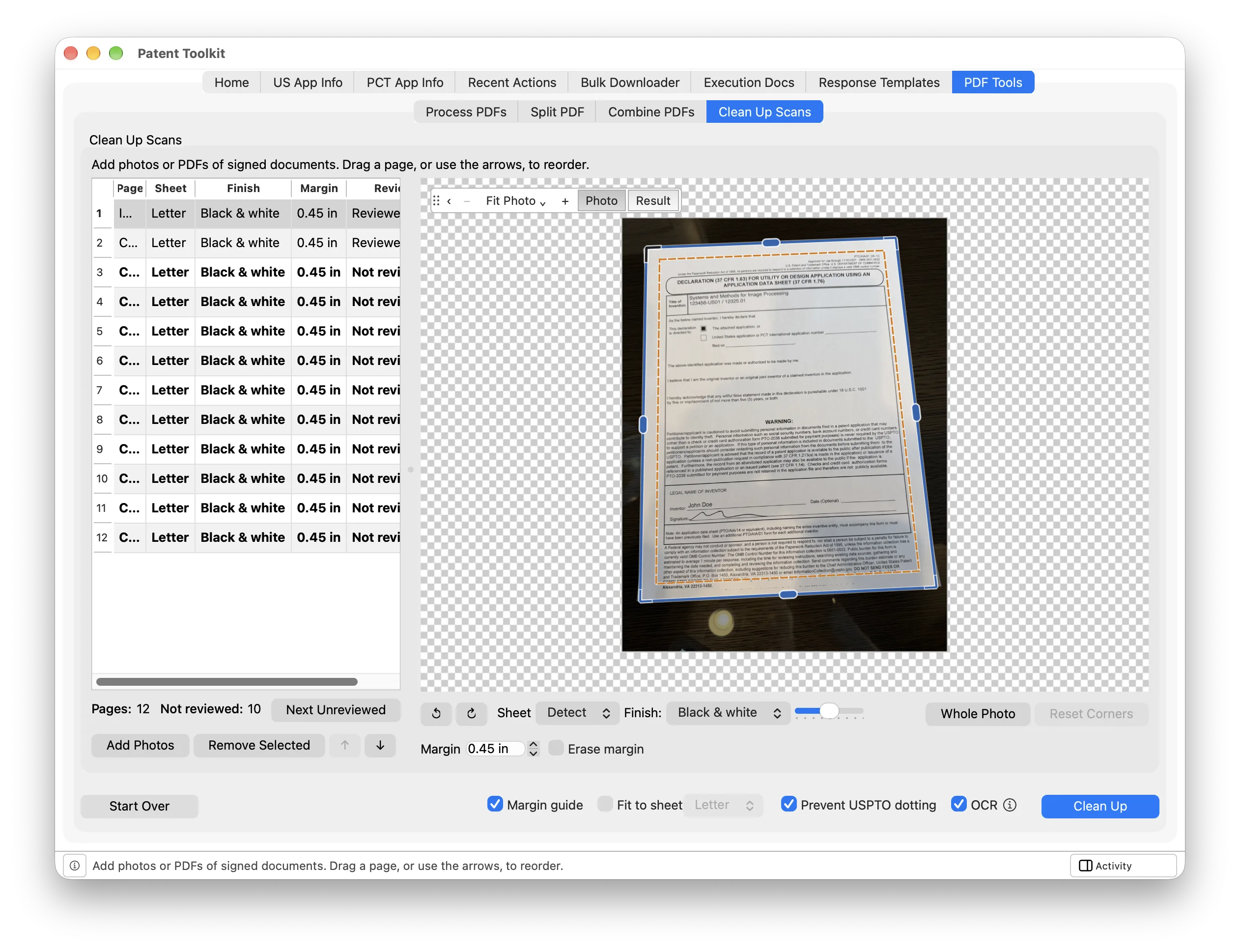
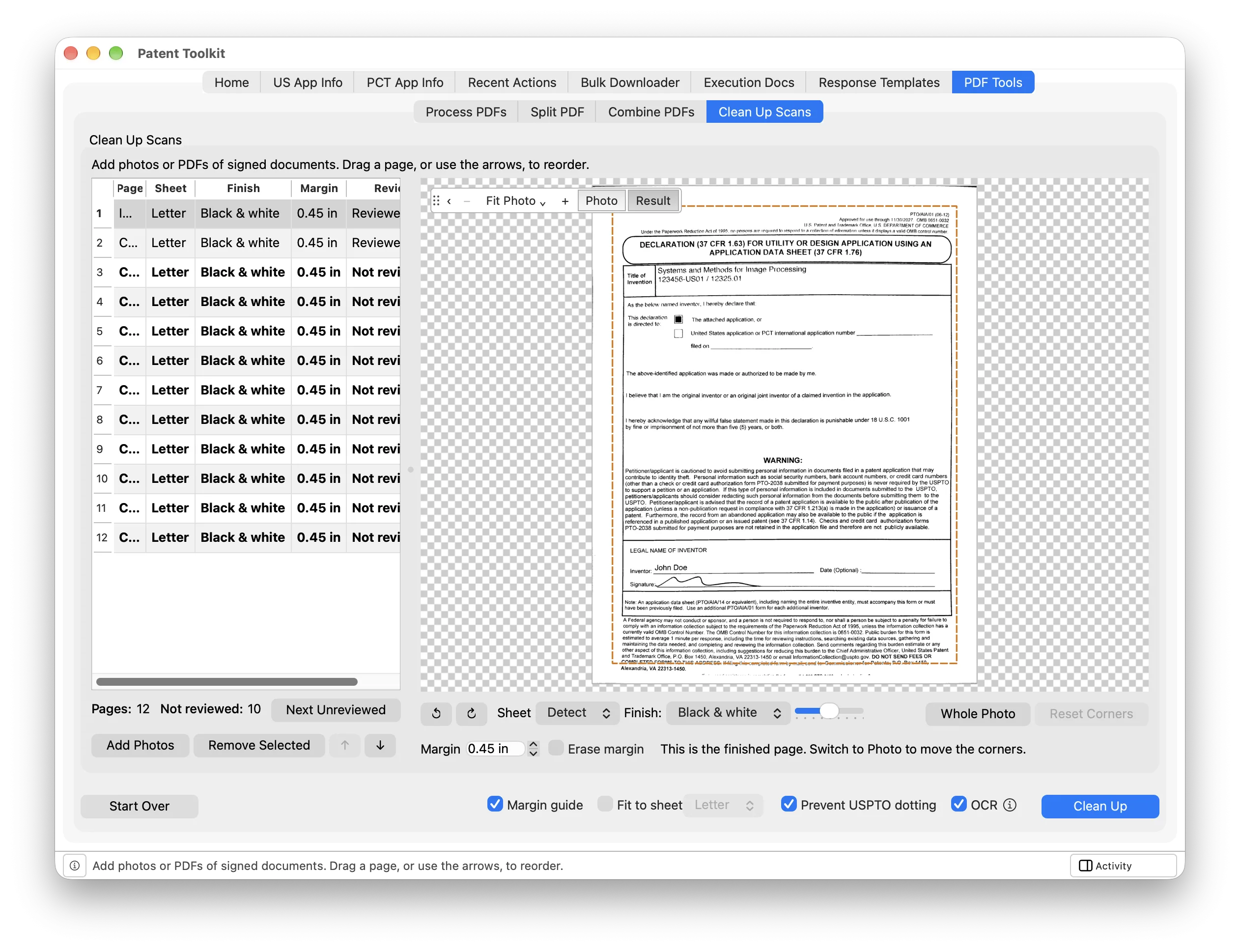
OCR, flatten, sanitize, watermark, and number PDFs. Prepare drawing sheets, reduce dotting in USPTO copies, and check for common filing issues. Split or combine documents, or use Clean Up Scans to correct photographed pages and produce Letter or A4 PDFs.
PDF Tools are free; no sign-in or subscription required.
Your AI tool. Your workflow.
Prepare patent documents for the AI tools you already use. Patent Toolkit helps you collect references and prosecution records, then puts them into formats you can use in the AI tool of your choice.
Generate text-based Word versions of US publications without an OCR step. Gather available application documents, office actions, prior responses, and cited references to give your AI tool the context it needs.
Use your existing general-purpose AI subscription. Choose your own prompts, ask your own questions, and decide how AI fits into your practice.
Choose a plan that fits your practice
Free
$0
Start with a one-time allowance without signing in. Sign in by email for monthly allowances of lookups, Recent Actions searches, document generation, and bulk downloads. PDF Tools and US patent and publication PDF-only batches, including OCR, are unlimited.
Pro
$29.99 a month
Or $249.99 a year. All features with no monthly allowances, for one person on up to three Windows and Mac installations. Subject to fair use.
Introductory pricing through November 30, 2026: $19.99 a month for the first 3 months, or $199.99 for the first year.
Firm
$249.99 a seat a year
Pro access for each person, with centralized billing and seats you can assign and reassign. Minimum two seats, with lower rates for seats 10 and above.
Prices are in US dollars, excluding tax. Subscriptions renew automatically and can be canceled at any time. For subscriptions purchased on patenttk.com, request a full refund within 14 days of any charge. Mac App Store pricing and refunds are handled by Apple.
Your documents stay on your computer
PDF processing and document generation run on your computer. Online lookups use application, publication, docket, or customer numbers to retrieve the requested records.
- Local files stay local. OCR, scan cleanup, splitting, combining, and document conversion run on your device. Patent Center exports are imported and stored locally.
- Email sign-in, no password. Use a single-use emailed code. Apple or Paddle handles subscription payments; Patent Toolkit does not receive your card details.
- Limited service data. Lookups send only the identifiers needed to retrieve the requested records.
- Optional usage reports. Reports contain feature and reliability counts and basic app information, without document contents, patent numbers, or file names. Turn reporting off in Preferences → Advanced → Privacy to stop collection and delete unsent counts.
See Network access for connection requirements and the Privacy Statement for details on data use, retention, and deletion.
From the blog
Articles and practical guidance on patent practice.
-
What Rights Does a Patent Actually Grant?
Learn what rights a patent actually provides. Understand the “right to exclude,” how patent claims define protection, and why a…
-
What Is the Lifecycle of a Patent Application?
Learn the lifecycle of a U.S. patent application—from provisional filing and USPTO examination to patent issuance, maintenance fees, and expiration.
-
I Have an Invention I’d Like to Patent. What Should I Know?
Thinking about patenting an invention? Learn what patents actually protect, the difference between provisional and non-provisional applications, how design patents…
Put Patent Toolkit to work
Start free on macOS or Windows.
Use PDF Tools and download US patent and publication PDFs, including OCR, without signing in.